
Make high quality AI videos in seconds
Make high quality AI videos then post them to all your social media platforms. Connect ChatGPT, Claude, Grok or any agent to run it for you, over CLI, MCP or API.


Example videos made with MakeAIVideo

Open the full demo for playback controls and a second-by-second breakdown.
From idea to finished video
Prompt to video: describe it once, get the whole video
Type a line or paste a script and MakeAIVideo runs the full pipeline, script, AI voiceover, a scene per beat, captions, and optional music, then renders a finished MP4. Lead with an idea using prompt to video, or keep your exact wording with script to video.
- Auto-written script.
- A one-line idea becomes a paced script with a hook, body, and close.
- Studio AI voiceover.
- A natural narrator reads it, timed to each scene, with captions baked on.
- A scene per beat.
- Every line is matched to stock footage or an AI-generated scene in the style you pick.
Your prompt
ExampleA 15 second documentary about how the Romans built the Colosseum, with a hook in the first line and a question at the end.
Or start from an example
Length
Aspect ratio
Sarah Female · American
Mature, reassuring, confident
Captions
Word-by-word, auto-styled
Estimated cost
~324 credits Example
Put a presenter on camera
AI talking avatar: a presenter who reads your script
Pick a presenter from the library or upload a reference photo, paste your script, and MakeAIVideo lip-syncs an AI character to a natural voice with word-by-word captions, exported as a 1080p MP4. Make a talking avatar, or a branded AI spokesperson video for sales and onboarding.
- Character library.
- Pick a ready-made AI presenter or generate one from a reference image.
- Lip-synced to your words.
- Mouth movements timed to the voiceover, with captions burned in.
- Nobody on camera.
- The presenter is AI-generated from the start. No filming, no recording.
Avatar
Pick a character
Upload your video
BEST
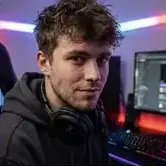

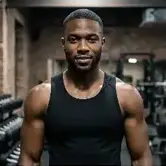


Your script
ExampleMost people skip breakfast for the wrong reason. Here is the one change that made my mornings easier.
Sarah Female · American
Female · AmericanMature, reassuring, confident
Already filmed it?
AI character swap: swap the person, keep the performance
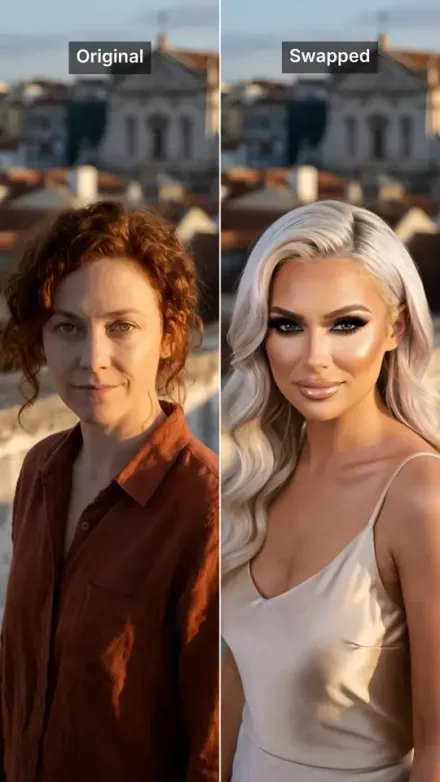
Upload your own video and swap the person on screen for a character. Motion, gestures, camera and audio all stay exactly as filmed, and the same performance comes back with someone else in it. See AI character swap.
- Your footage, untouched.
- The room, the camera move and your original audio all stay as filmed.
- Any character.
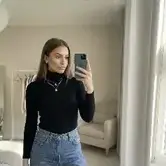
- Choose one from your library, or build one from a few photos.
- 3 to 60 seconds.
- MP4, MOV or WebM, returned as a 1080p MP4.
Your video
rooftop-take.mp4 · 0:08Who should they become?
A characterA photo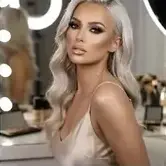



Estimated cost
~172 credits Example
Start from a single photo
Image to video: bring a still image to life
Upload a product still, landscape, or album cover, and MakeAIVideo animates it into a 5 or 10 second clip, exported as a 1080p MP4. Real motion inside the frame, not a Ken Burns pan. Try image to video on product shots, landscapes, people and pets.
- Photoreal motion.
- Skies, water, light, hair and fabric come alive without warping the subject.
- True to your photo.
- Animates the image you uploaded instead of inventing a new scene.
- Every aspect ratio.
- 9:16 for Reels and Shorts, 16:9 for YouTube, 1:1 for the feed.
Source image
How should it animate?
ExampleThe aurora ripples slowly across the sky and its reflection moves on the water.
Clip length
5 seconds
Fastest
10 seconds
Smoother motion
1080p clip
GenerateHow it works
How to make an AI video with MakeAIVideo
Four steps from a prompt, script, or photo to a finished MP4.
- 01
Type a prompt or paste a script
Start from one line for prompt-to-video, bring your exact words for script-to-video, or upload a single photo for image-to-video. The starting point shapes the workflow; everything downstream is automatic.
- 02
Pick a style and aspect ratio
Choose from 15 visual styles for AI scenes (cinematic, anime, claymation, more) and the aspect ratio for your platform: 9:16 for TikTok and Reels, 16:9 for YouTube, or 1:1 for square posts. The model frames every scene around your output. For a whole video in the anime look, the AI anime video generator shows the style at work.
- 03
Generate the video
MakeAIVideo writes any missing script, records a voiceover from a curated AI voice library, builds the scenes from stock footage or AI generation, times word-by-word captions, adds any background music you pick, and stitches the final MP4. Short clips are usually ready in a few minutes.
- 04
Edit, then post it
Each render lands in your library, watermark-free. Open it in the built-in editor to rewrite a caption, swap a voice, or re-roll a scene. Then post it to your connected TikTok, Instagram, YouTube and other accounts, now or on a schedule, or download the MP4.
More ways to start
A tool for every kind of video.
Beyond a prompt or a script, MakeAIVideo has a dedicated tool for ads, explainers, lists, stories, product demos and articles, plus templates and trends to start from. See the AI ad maker and AI explainer videos.
Every tool in one create screen
Pick the tool that fits: Explainer, Tips and lists, Story, UGC ad, Product demo or Article to video. Paste an article and it turns your own words into a short, adding nothing that is not in your text. See blog to video.
Paste a blog post, newsletter or any writing. We select the spine and turn it into a short.
Start from a link (optional)
Paste the article
ExampleMost sourdough fails long before it reaches the oven. The starter is the part everyone rushes, and it is the part that decides the crumb. Feed it on a schedule for a week and the loaf takes care of itself.
Length
Language
Auto (match my prompt)Estimated cost
~64 credits Example
Ads from a product description
Describe what you sell and add 1 to 5 product photos. It writes the hook, the pitch and the call to action, sized for the placement you pick.
Describe what you sell. We write the hook, the pitch and the call to action, then build the ad.
What are you advertising?
ExampleA handmade ceramic pour-over coffee set. Slow mornings, one cup at a time, sold direct from our studio.
Photos of your product
Where will it run?
Call to action
Estimated cost
~89 credits Example
Real footage or AI video
Use real filmed clips matched to each line, or have every scene generated from scratch. Add a voiceover, and pick a music track or generate one with AI.
Footage
Real footage
$Real filmed clips matched to each line of your script
AI video
$$$Every scene generated from scratch, fully original
Voiceover
Narrate this video
An AI voice reads the script out loud
Background music
Pick music
No music
Generate with AI
Describe a track, ready in ~10 seconds
Estimated cost
~45 credits Example
Start from a template
Pick a finished video from the template gallery, filtered by ads, explainers, stories and more, and make it your own.
Real videos made with MakeAIVideo. Pick one, give it your topic, and it keeps the look, voice and pacing.
Ocean documentary
Five quick tips
Founder update
Product reveal
Character story
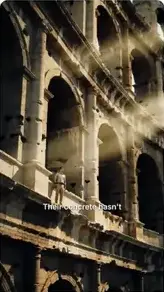
History deep-dive
Remix what is trending
Browse trending videos with a breakdown of why each one works, then make your own version with the same structure.
Example1.2M playsThe ocean is not blue for the reason you think
Why it works
Myth, then reveal
- Hook:
- A claim most viewers believe, broken in the first two seconds.
- Pacing:
- A new shot every beat, no line longer than one breath.
- Payoff:
- The real answer lands as a single image at the end.
- Keeps them watching:
- Each line opens a question the next one answers.
Never start from a blank prompt
Out of ideas? Generate ten.
Drop in a niche and MakeAIVideo returns ten video concepts tuned to your audience and tone, then send one straight into a video. The same engine powers our free idea generator and hook generator, no signup required.
- Idea generator.
- Scroll-stopping concepts tailored to your niche, one click from a video.
- Hook-first scripts.
- Every draft opens with a hook built to survive the first three seconds.
- Any format.
- Explainers, faceless content, product stories, the pipeline adapts.
Niche / topic area
Ancient history for curious adults
Tone
The trick that made Roman concrete outlast ours
Hook
“Their harbours are still standing. Ours crack in fifty years.”
Angle
One ingredient, explained with a single experiment you can picture.
All included
Everything a finished video needs
No add-ons and no second tool. Captions, voice, optional music, and export come through the pipeline on every render. See plans and pricing.
- 15 visual styles.
- Cinematic, anime, claymation, and more, applied across every AI scene.
- Every aspect ratio.
- Vertical for Reels and TikTok, square for feeds, wide for YouTube.
- Word-by-word captions.
- A choice of styles in the editor, timed to the voiceover and burned into the export.
- Studio AI voices.
- A curated library of natural narrators to match your tone.
- Background music.
- Pick a track from the library and it ducks under the narration.
- Watermark-free.
- Every export is clean and yours to post anywhere.
Visual style
Aspect ratio
9:16
TikTok / Reels
1:1
Square
16:9
YouTube
Captions
Word-by-word, auto-styled
Background music
Calm
1080p MP4, no watermark
DownloadYour whole library
Every video in one place.
Track what's generating, ready to post, or needs a retry in one place. Reopen any project in the editor, re-render with changes, download the MP4, or post it to your social accounts. Want a presenter on camera? Make a talking avatar. Animating a still photo? Use image to video.
- Render library.
- Every clip is saved, searchable, and one click from download or a re-edit.
- Edit after generating.
- Change a scene, fix a word, or restyle captions in the editor.
- Export anywhere.
- 1080p MP4 with captions baked in, sized for vertical, square, or wide.
- Post or schedule.
- Send it to TikTok, Instagram, YouTube and eight more platforms now, or pick a date and time.
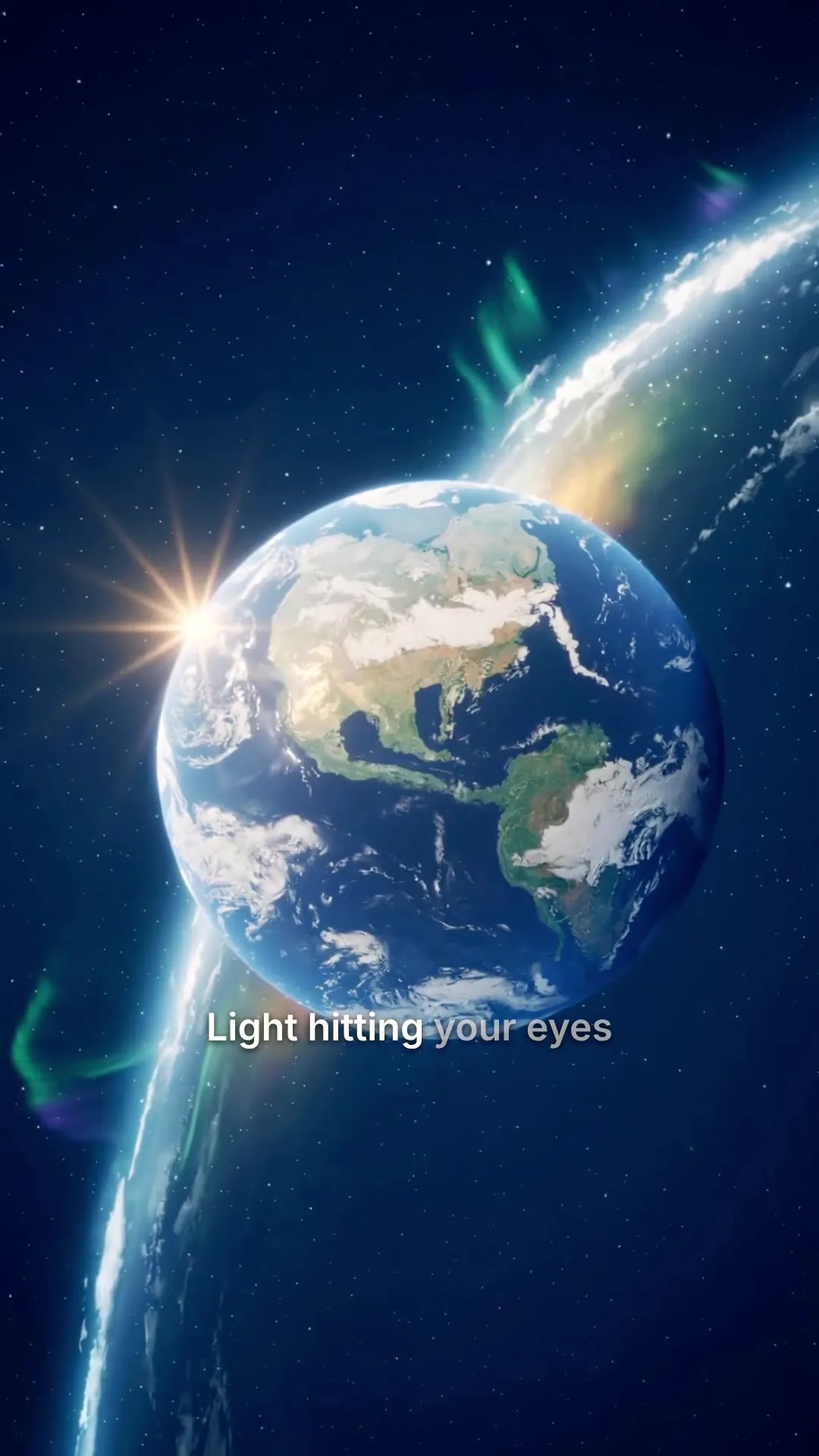
0:25Universe in 25s
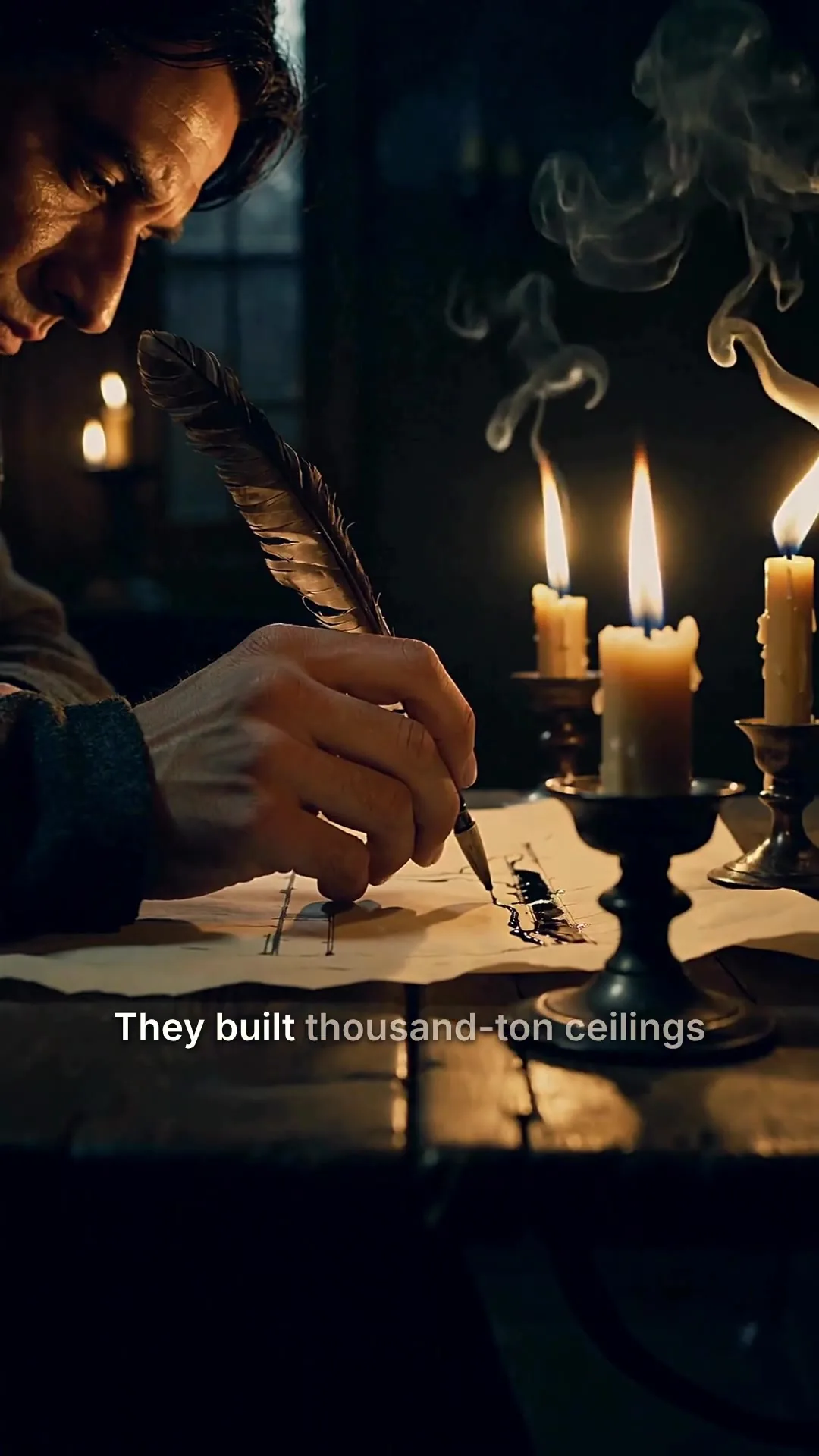
0:48Cathedrals by candlelight
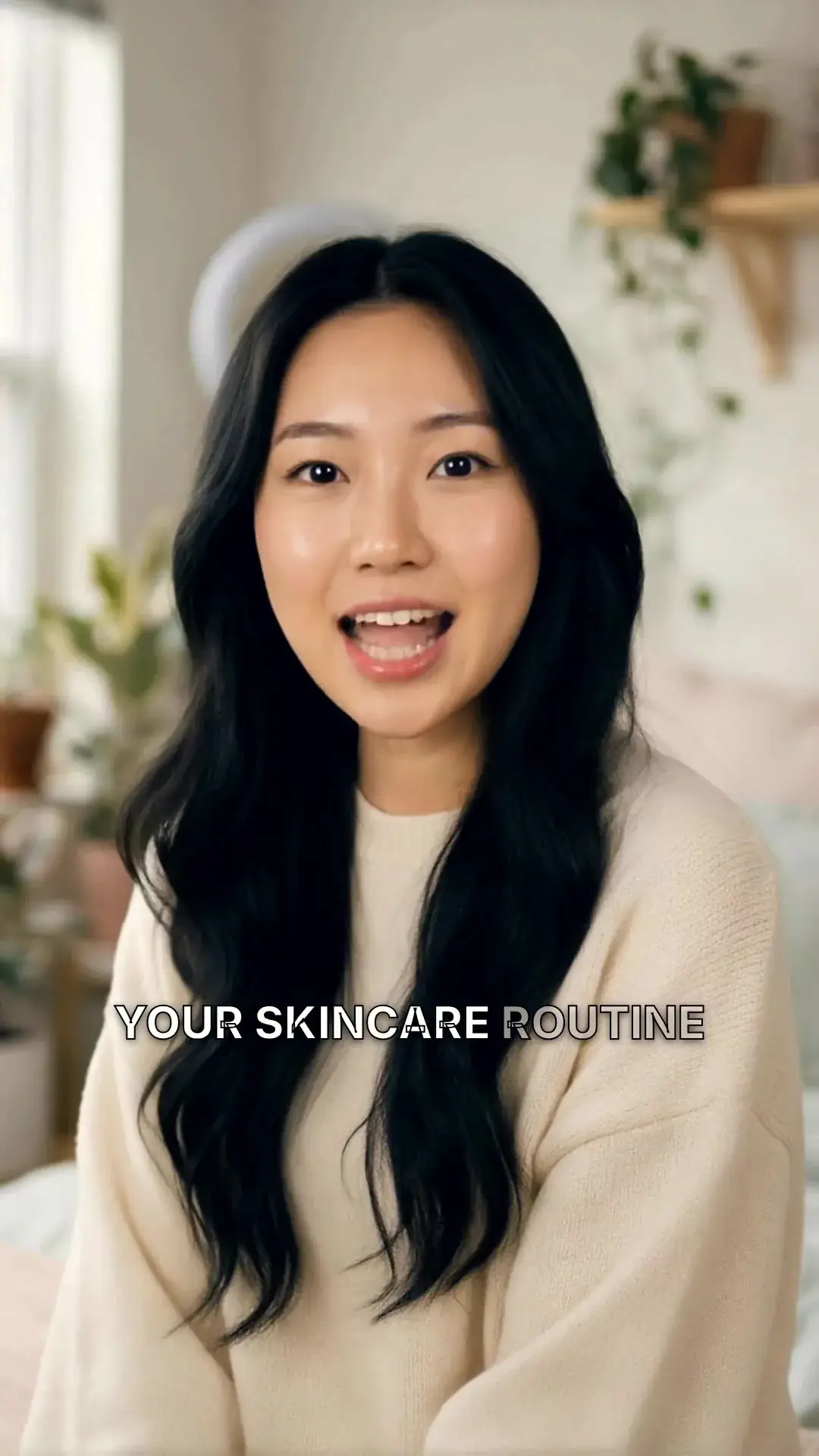
0:31Nobody filmed this
0:10Aurora over the fjord
0:08Rooftop take, swapped
0:42Rome in a day
Built-in editor
Change anything after it renders.
Every video opens in the editor. Regenerate one scene, swap the narrator, add a music track, restyle the captions or fix a word, then export again. No timeline skills needed.
Regenerate one scene
Not happy with a shot? Regenerate that scene on its own, with a new voice and new visuals, usually in a few minutes. Edits save automatically.
Scene 2
Edits save automatically
Narration
ExampleThey built thousand-ton ceilings without a single steel beam, and most of them are still standing.
Regenerate this scene
New voice and visuals, usually 1-3 minutes.
1080p MP4
Export videoSwap the narrator
Audition 12 voices, choose a delivery from calm to punchy, and re-record every scene in one go. The visuals stay as they are.
The narrator for the whole video
Pick a voice
Play to auditionSarahfemale · american
Mature, reassuring, confident
Brianmale · american
Deep, resonant, comforting, natural authority
Lilyfemale · british
Velvety, warm. British narrator
Danielmale · british
Authoritative British male, newscaster gravitas
Matildafemale · american
Knowledgeable, professional, perfect for tutorials
Delivery
Used when you applyStable
Calm, even
Balanced
Default
Expressive
Punchy
Apply to every scene
Re-records the narration. Visuals stay as they are, and your current export stays until you export again.
Add a music track
Pick from 120 tracks in 10 moods. The track dips automatically while the voice speaks, and adding one is free.
One track under the whole video. It dips while the voice speaks.
Library
ExampleNo music
Voice only, silence under the narration
Soft piano with strings
Calm · Soft piano with gentle strings, slow tempo, peaceful morning
Meditative ambient pad
Calm · Ambient pad with subtle bell tones, breathing room, meditative
Fingerpicked acoustic guitar
Calm · Acoustic guitar fingerpicking, soft brushed drums, calm afternoon
Restyle the captions
Switch between 11 caption styles, or click any word in the transcript to fix a typo without re-recording the voice.
Clean, minimal, burned in
Edit transcript
Click any word to fix typos without re-rolling voice.
Scene #3
ExampleLight hitting your eyes left the sun eight minutes ago.
Scene #4
You are looking at the past, every single time.
Caption style
Edits save automatically
Export videoDownload or share
Download a 1080p MP4 with SRT or VTT caption files, grab an older render, or create a link anyone can download from for 24 hours.
Download
MP4 video
The finished video, ready to post
SRT captions
Subtitle file for TikTok, YouTube, CapCut
VTT captions
Subtitle file for web video players
Share link
ExampleAnyone with this link can download the MP4, no account needed.
Publish without leaving
Post it everywhere, or schedule it.
Send a finished video to TikTok, Instagram, YouTube and eight more platforms in one step, with a caption written from your script. Post it now or pick a date and time. See auto post.
- 11 platforms.
- TikTok, Instagram, YouTube, LinkedIn, X, Facebook, Threads, Pinterest, Bluesky, Telegram and Discord.
- Caption written for you.
- Drafted from your script. Use one everywhere or tailor it per platform.
- Now or later.
- Post straight away or schedule it for the time your audience is online.
We upload the finished file to each account you pick.
Where should it go?
@yourbrand
TikTok
@yourbrand
Instagram · Posts as a Reel
Your Brand
YouTube · Vertical videos post as Shorts
Caption
RewriteRome did not build the Colosseum with magic. It built it with one ingredient we forgot. #history
Customise caption per platform
Schedule (optional, leave empty to post now)
Goes out within about two minutes of it.
Publishing, built in
Connect once. Post every video from here.
Connect your accounts across 11 platforms, then post or schedule any finished video and see how it went on each one. See auto post.
Every account in one place
Add accounts, see which ones need attention and reconnect them. Connect 2 social accounts on Lite, up to 10 on Pro.
The social accounts you post to.
Account connections and posting are powered by our partner PostEverywhere.
- Add
TikTok
@yourbrand - Add
Instagram
Posts as a Reel
@yourbrand@yourbrand.studio - Add
YouTube
Vertical videos post as Shorts
Your Brand Reconnect required - Add
Facebook
No accounts connected - Add
Discord
Videos up to 25 MB
Your Community - Add
Bluesky
Videos up to 3 minutes
yourbrand.bsky.social
See how each post went
Every video you have posted or scheduled, with its status on each account, from Scheduled to Published.
Videos you have posted or scheduled to your accounts, and how each one went.
The Colosseum secret
ScheduledGoes out around Oct 7, 2026, 9:00 AM · 3 accounts
3 hiring mistakes
PostingOct 3, 2026, 2:14 PM · 2 accounts
Morning habits
PublishedOct 2, 2026, 6:30 PM · 3 accounts
Spring collection
Partly publishedOct 1, 2026, 11:05 AM · 2 accounts
Behind the scenes
PreparingOct 3, 2026, 2:16 PM · 1 account
Ready to make your first AI video? 7-day free trial with 350 credits, then plans from $9/mo.
Start 7 day free trialMake it yours
Your characters, in your language.
Start from 21 ready-made characters or create your own from a description or a photo, and make videos in 24 languages. Build a presenter for talking avatar videos.
Create your own character
Describe a character or upload up to five reference photos, pick a portrait and a voice, and save it. It stays consistent across every scene.
- 4Save
Describe your character
ExampleA warm, confident presenter in her late twenties, soft studio light, cream knit sweater, looking straight at the camera.
Reference images
Optional, locks the face to look like these
Pick your portrait
Pick a voice
Warm Narrator
Calm, storytelling, perfect for explainer videos
Name & save
Name
Maya
Video in 24 languages
Script, voiceover and captions are produced in the language you pick, or it matches the language of your prompt.
Your prompt
ExampleUn video de 30 segundos sobre por qué el pan sube en el horno.
- English
- EspañolSpanish
- PortuguêsPortuguese
- FrançaisFrench
- DeutschGerman
- Bahasa IndonesiaIndonesian
- 日本語Japanese
- 한국어Korean
Script, voiceover and captions follow it
Generate videoConnect your AI agent
Connect ChatGPT, Claude, Grok or any AI agent
Your assistant writes the script, makes the video and posts it to your accounts. Connect it in a minute with no code, or build on the MCP server, CLI and API. Same balance as the app, no separate API bill.
- Connect your AI assistant.
- Add MakeAIVideo to Claude, ChatGPT, Grok, Claude Code, Cursor or any app that supports MCP with one address. You sign in once; there is no API key to paste.
- Ask in plain English.
- “Make a 30 second video about our launch and post it to TikTok and Instagram.” It checks the cost before it spends anything.
- It makes the video.
- A finished MP4 with the script, voiceover, scenes, captions and any music, in your library to edit or download.
- And posts it if you ask.
- To the accounts you have connected, now or on a schedule, across 11 platforms.
MCP, API and CLI use the same credits and the same balance as the app.
Teams and developers
Bring your brand, your team and your tools.
Put your logo on every render, invite your team, and let ChatGPT, Claude or your own code make videos through the MCP server, CLI or API. See MakeAIVideo for AI agents.
Brand Kit and team
On Plus and Pro, upload your logo once and switch it on as a watermark for your renders. Invite teammates by email as a Member or an Admin.
Brand Kit
Brand Kit is available on Plus and Pro
Watermark
PNG with transparency recommended. Max 5MB.
Upload watermarkShow watermark on renders
Team
Invite to team
Active members
Example- Owner
OliviaYou
olivia@northshore.studio
- Admin
Marcus
marcus@northshore.studio
Pending invitations
sam@northshore.studio
Invited by Olivia
Connect any AI assistant
Paste one address into Claude, ChatGPT, Grok, Claude Code or Cursor and ask it for a video. API keys, the CLI and the REST API sit alongside.
Connect an AI assistant
Where do you want to use it?
Paste this address:
https://mcp.makeaivideo.ai Copy addressJust ask it
“Make a 45-second explainer on why bread rises, 9:16, and give me the download link.”
Five ways to make a video
Start from whatever you have, a one-line idea, a finished script, a presenter, a single photo, or footage you already filmed. All five live in the same app.
Prompt to video
Turn a one-line idea into a finished, captioned clip. The pipeline writes the script and builds every scene.
Make a video from a promptScript to video
Already have the words? It narrates your exact script over real stock footage or AI-generated scenes, with word-by-word captions.
Turn a script into videoTalking avatar
A lip-synced AI presenter delivers your script, a spokesperson video without filming anything.
Make a talking avatarImage to video
Upload a single photo and animate it into a short, photoreal clip, true to your original image.
Animate an imageCharacter swap
Already filmed it? Upload your own clip and swap the person on screen for a character. Your motion and audio stay as recorded.
Swap a characterWhat you can make with MakeAIVideo
The kinds of video people make with it:
Marketing & ads
Spin up campaign creative without a production cycle. Iterate on hooks in minutes, not days.
Educational content
Turn outlines and lesson plans into watchable explainers with synced narration and visuals.
Brand storytelling
Communicate what you do consistently, on-brand, and at the cadence your audience expects.
Product demos
Walk through features without screen-recording fatigue. Update visuals as your product evolves.
Internal training
Document workflows for new hires. Reuse the same voice and visual style across modules.
Personal content
Build a presence without learning Premiere. Pick a style, write what you want to say, ship.
Why MakeAIVideo
Three decisions that shape what you get back.
End-to-end in one run
From prompt to finished video. No manual stitching.
Everything in one tool
Script, voice, visuals, captions, music. No more chaining 5 different AI products.
Best-in-class AI models
Top video, image, and voice models. Picked, tuned, and routed for you per scene.
Pricing
Plans from $9, every one with a 7-day free trial
Every plan starts with a 7-day free trial and unlocks every tool. Plans from $9/mo, priced in credits, and every video comes as a 1080p download with no watermark.
Lite
The easy start. Every tool, one creator.
$9/mo
or $99 a year, 1 month free
600credits every month
Use them on any tool below
7 days free with 350 credits. Cancel before day 7 and you won't be charged.
- Post and schedule to 2 social accounts
- Videos up to 10 minutes
- 1080p export, never a watermark
- 1 user
Solo
For one creator posting every week.
$19/mo
or $190 a year, 2 months free
1,100credits every month
Use them on any tool below
7 days free with 350 credits. Cancel before day 7 and you won't be charged.
- Post and schedule to 4 social accounts
- Videos up to 10 minutes
- 1080p export, never a watermark
- 1 user
Plus
Long-form, your branding and a team of three.
$29/mo
or $290 a year, 2 months free
1,750credits every month
Use them on any tool below
7 days free with 350 credits. Cancel before day 7 and you won't be charged.
- Post and schedule to 6 social accounts
- Stock-footage videos up to 40 minutes
- Brand Kit: your logo on every video
- 3 team seats with admin and member roles
Pro
For teams and channels running at volume.
$49/mo
or $490 a year, 2 months free
3,000credits every month
Use them on any tool below
7 days free with 350 credits. Cancel before day 7 and you won't be charged.
- Post and schedule to 10 social accounts
- Stock-footage videos up to 40 minutes
- Brand Kit: your logo on every video
- 10 team seats with admin and member roles
Run out in a busy month? Add credits any time, from $5. Credits you buy never expire. See pricing
Every plan includes
- Captions, music and studio-quality voices, free on every video
- Full HD 1080p export, never a watermark
- Post and schedule to 11 platforms
- Video in 24 languages
- API, MCP server and CLI for ChatGPT, Claude or any AI agent
AI video generator FAQs
Everything you might want to know about MakeAIVideo before signing up.
Something else? Visit the help center
What is MakeAIVideo?
MakeAIVideo is an AI video generator that produces complete videos from a single prompt. Script, voiceover, scenes, and captions, all rendered and stitched into a finished file. It replaces the chain of separate tools (script writer, TTS, image generator, video editor) you'd otherwise wire together yourself.
How do I make an AI video from text?
Type your topic (or paste a script you've already written), pick a style (talking-head with an AI character, or cinematic narration over AI-generated scenes), and hit generate. MakeAIVideo writes any missing script, synthesises the voiceover, builds a scene per beat from stock footage or AI generation, bakes in captions, and stitches the final MP4. You run the whole process from your browser.
How long does it take to make an AI video?
Short clips are usually ready in a few minutes. Longer videos take longer because the pipeline runs more scenes, and AI-generated scenes take longer than stock footage. Your video lands in your library when it is done.
Can I make AI videos for free?
You can try it free. Every plan starts with a 7-day free trial with 350 credits, full quality, no watermark and every tool; a card is required to start it. A 30-second stock-footage video is about 112 credits and a 15-second AI video about 324. When the trial ends, the plan you chose starts, from $9 a month, unless you cancel first. We also publish several free tools that need no signup at all.
How long can my AI videos be?
AI-scene modes (cinematic, talking head, hybrid and smart mix) go up to 10 minutes for everyone. Stock-narrated videos (where MakeAIVideo uses stock footage instead of generating it) go up to 10 minutes on Lite and Solo, and up to 40 minutes on Plus and Pro. Image to video makes one clip of 5 or 10 seconds. Pick a length before you generate; the credit cost updates as you change it, so you know the cost first.
Can I make AI videos for TikTok, Instagram Reels, and YouTube Shorts?
Yes, all three. MakeAIVideo outputs 9:16 portrait by default (the format that wins on every short-form platform), with TikTok-style word-by-word captions baked in. Landscape (16:9) and square (1:1) are also supported if you need different placements.
Can MakeAIVideo post my videos to TikTok, Instagram and YouTube?
Yes. Connect your accounts in the app, then open any finished video and choose "Post to your accounts". Post it now or schedule it for a date and time, with one caption for every platform or a different one for each. It posts to TikTok, Instagram (as a Reel), YouTube (a 9:16 video as a Short, 16:9 as a regular video), Facebook Pages, LinkedIn, X (videos up to 140 seconds), Threads, Pinterest, Bluesky, Telegram and Discord. Connect 2 social accounts on Lite, 4 on Solo, 6 on Plus and 10 on Pro, and posting has no separate fee. See how posting works.
Can I make AI videos without showing my face?
Yes. Cinematic mode skips the on-screen presenter entirely. MakeAIVideo generates a unique AI scene per beat of your script and runs them under a narrator voiceover. It's the format behind most faceless TikTok channels, history-fact pages, and motivational-content accounts.
Do I need any video editing skills to make AI videos?
No. The whole pipeline runs from a single prompt. Script, voiceover, visuals, and captions are all produced and stitched automatically, with any music you pick. There is a built-in editor if you want to rewrite captions word-by-word, adjust music volume, or tweak the project before re-rendering, but using it is optional.
Can I make AI videos in different languages?
Yes, in 24 languages. Pick the language and MakeAIVideo writes the script, records the voiceover and times the captions in it, including Spanish, Portuguese, French, German, Hindi, Arabic, Japanese, Korean, Chinese and Indonesian. Voices are a curated library of natural AI voices, and captions are timed to the spoken track.
What kind of videos can I make?
Anything that fits a script: marketing creative, explainers, brand stories, product demos, training content, personal content. You're not locked into a particular format or aspect ratio. Pick portrait, landscape, or square. Pick a talking head or a narrated cinematic. Both come out as a finished 1080p MP4.
What AI technology powers MakeAIVideo?
MakeAIVideo runs on a curated stack of leading AI models: language models for scripts, neural voice synthesis for voiceovers, and state-of-the-art generative models for video and imagery. You don't pick or configure them; MakeAIVideo routes each step to the model best suited for the job and updates the stack as better models arrive.
Can I edit the video after it's generated?
Yes. Every video opens in an editor where you can rewrite captions word-by-word, adjust music volume, tweak the project, and re-render with your changes. You can also regenerate a single scene, change the voice, or pick a different music track.
How does pricing work?
Plans are monthly or yearly and include credits: Lite is $9 a month for 600 credits, Solo $19 for 1,100, Plus $29 for 1,750 and Pro $49 for 3,000, and yearly saves up to two months (one month free on Lite, two on Solo, Plus and Pro). Every plan unlocks every tool, with 1080p export and no watermark, and starts with a 7-day free trial. Each video costs credits, with the script, voiceover, scenes, captions and export all included: an AI video with voiceover is about 22 credits a second (about 324 for 15 seconds) and a stock-footage video about 4 credits a second (about 112 for 30 seconds). The app shows the exact cost before you make anything. Plan credits reset monthly; run out? Add credits any time, from $5, and credits you buy never expire. See the /pricing page for the full breakdown.
Can I use my own characters?
Yes. Upload a reference image and MakeAIVideo will generate consistent character shots from it across every scene. Voice selection comes from a curated library of natural AI voices.
Can I try it without paying?
Yes, with the 7-day free trial. It includes 350 credits on any plan, full quality and no watermark, and a card is required to start it. Cancel before the trial ends and your plan doesn't start. The free tools are separately free and need no signup, though they are writing helpers rather than video.
Ready to make your first AI video with MakeAIVideo?
Start a 7-day free trial with 350 credits. Plans from $9/mo; cancel anytime before the trial ends.