
Narrated explainers
Turn a written explainer into a watchable video with synced narration and visuals. Useful for tutorials, FAQs, and product onboarding.
Paste a script and MakeAIVideo narrates it with an AI voiceover over real footage or AI-generated scenes, with word-by-word captions timed to the audio. Your words, on screen in minutes.
7-day free trial, 350 credits·Plans from $9/mo · Cancel anytime
Need a starter script? Try the free video script generator for 6 HOOK / BODY / CTA structures per topic, no signup.
Verbatim, never rewritten
Script to video narrates your script verbatim, so the message lands exactly as you wrote it. MakeAIVideo records an AI voiceover, builds a scene for each beat, and times word-by-word captions to the audio, then renders a finished MP4. No script yet? Prompt to video drafts one from a single line.
Paste your narration. We'll voice it and animate it scene-by-scene, without changing your words.
Your script
Example1Did you know Rome's concrete still hasn't cracked after 2,000 years?
2The secret is volcanic ash, it actually gets stronger over time.
3The Pantheon's dome remains the largest unreinforced concrete dome on Earth.
Or start from a sample
Voiceover
Read my script out loud
An AI voice reads your narration word for word
Sarah Female · American
Mature, reassuring, confident
Footage
Estimated cost
~60 credits Example
How it works
Drop in your written words. Mark scene breaks with line breaks if you want explicit pacing, or let the pipeline pace it for you. Your script is read word for word, never rewritten or summarised.
Pick a voice from the curated library of natural AI narrators and a visual style (cinematic, anime, claymation, more). Set the aspect ratio for your platform: 9:16 vertical, 16:9 landscape, or 1:1 square.
MakeAIVideo records the voiceover, builds a scene per beat, times word-by-word captions to the audio, and adds any background music you pick. Most clips are ready in a few minutes.
A 1080p MP4 lands in your library, watermark-free. Open in the editor to swap a scene, re-roll the voice, or restyle the captions, or post the default output as-is.
Footage and sound
Paste a script, pick a voice and style, hit render. Choose real filmed clips matched to each line or AI-generated scenes, keep the voiceover on or render your words as captions only, and add a music track if the script wants one.
Footage
Real footage
$Real filmed clips matched to each line of your script
AI video
$$$Every scene generated from scratch, fully original
Voiceover
Narrate this video
An AI voice reads the script out loud
Background music
Pick music
No music
Generate with AI
Describe a track, ready in ~10 seconds
Estimated cost
~45 credits Example
Repurpose what you have
Repurpose a blog post, newsletter, or sales letter into short-form without rewriting it. Renders land in your library to download, re-edit, or repost, with captions baked into every export. For a long article, the Article to video tool cuts it to a short using only what is in your text: see blog to video. Want a presenter delivering the lines instead? Try talking avatar, or see plans and pricing.
Paste a blog post, newsletter or any writing. We select the spine and turn it into a short.
Start from a link (optional)
Paste the article
ExampleMost sourdough fails long before it reaches the oven. The starter is the part everyone rushes, and it is the part that decides the crumb. Feed it on a schedule for a week and the loaf takes care of itself.
Length
Language
Auto (match my prompt)Estimated cost
~64 credits Example
All included
No add-ons and no second tool. Every script runs through the full pipeline, in vertical, square or wide. Videos run up to 10 minutes, and on Plus and Pro stock-footage videos go up to 40.
A curated library of natural narrators. Pick one before generating, or swap it in the editor and every scene is re-recorded.
The narrator for the whole video
Pick a voice
Play to auditionSarahfemale · american
Mature, reassuring, confident
Brianmale · american
Deep, resonant, comforting, natural authority
Lilyfemale · british
Velvety, warm. British narrator
Danielmale · british
Authoritative British male, newscaster gravitas
Matildafemale · american
Knowledgeable, professional, perfect for tutorials
Delivery
Used when you applyStable
Calm, even
Balanced
Default
Expressive
Punchy
Apply to every scene
Re-records the narration. Visuals stay as they are, and your current export stays until you export again.
Timed to the voiceover and burned into the export. Change the style, or click a word to fix a typo without re-recording.

Clean, minimal, burned in
Edit transcript
Click any word to fix typos without re-rolling voice.
Scene #3
ExampleLight hitting your eyes left the sun eight minutes ago.
Scene #4
You are looking at the past, every single time.
Caption style
Edits save automatically
Export videoOptional. One track under the whole video that dips while the voice reads your script.
One track under the whole video. It dips while the voice speaks.
Library
ExampleNo music
Voice only, silence under the narration
Soft piano with strings
Calm · Soft piano with gentle strings, slow tempo, peaceful morning
Meditative ambient pad
Calm · Ambient pad with subtle bell tones, breathing room, meditative
Fingerpicked acoustic guitar
Calm · Acoustic guitar fingerpicking, soft brushed drums, calm afternoon
Download the MP4 with SRT or VTT caption files, clean and yours to post anywhere.
Download
MP4 video
The finished video, ready to post
SRT captions
Subtitle file for TikTok, YouTube, CapCut
VTT captions
Subtitle file for web video players
Share link
ExampleAnyone with this link can download the MP4, no account needed.
Connect your AI agent
Paste a script into Claude, ChatGPT or another assistant and ask for the video. It narrates your exact words through the same pipeline, and can post the result for you. Same credits and same balance as the app.
MCP, API and CLI use the same credits and the same balance as the app.
Use cases
Anything you have already written as words to be spoken. Paste it in and the narration reads it exactly as written.
Turn a written explainer into a watchable video with synced narration and visuals. Useful for tutorials, FAQs, and product onboarding.
Pair your written script with a studio-grade AI voice for podcast clips, audiogram-style social posts, and narrated commentary.
Build documentary-style faceless content: real script, AI scenes, narrated voiceover, captions baked in. The format that wins on history, science, and explainer channels.

Convert a published blog post or newsletter into a short-form video without rewriting it. Original copy, new format, more reach.

Build a YouTube presence without filming yourself. Script in, narrated AI video out, a repeatable workflow that doesn't depend on you being on camera.

Add consistent narration to lesson modules, training content, and course intros without recording yourself for each one.
If you want a presenter on camera, an AI talking avatar lip-syncs an AI character to your script instead.
Best practices
Long, comma-heavy sentences are harder for the AI to pace. Aim for 15 to 20 words per sentence; natural speech rhythm renders cleaner narration.
Each line becomes a beat the pipeline can match to its own scene. Mixing two ideas in one sentence dilutes the visual.
Where it matters, write what should be on screen. 'A tight shot of a smartphone' beats 'a phone'. The scene generator follows your cues.
Use blank lines or short transitions ('Next:', 'Here's the thing:') to mark beats. The pipeline respects the pacing you encode.
Short paragraphs let the voice breathe and let scenes land. Read aloud as a check; trim anything that drags past 30 seconds of speaking.
 How to write a video script60-second template with hook-body-close structure.Read how to write a video script
 Best InVideo alternatives 20268 InVideo alternatives tested across template library, script-to-video, and export quality.See the InVideo alternatives
 Best Descript alternatives 202610 tools tested for script-to-video and transcript-based editing.See the Descript alternatives
 Best Pictory alternatives 20268 script-to-video alternatives compared.See the Pictory alternatives
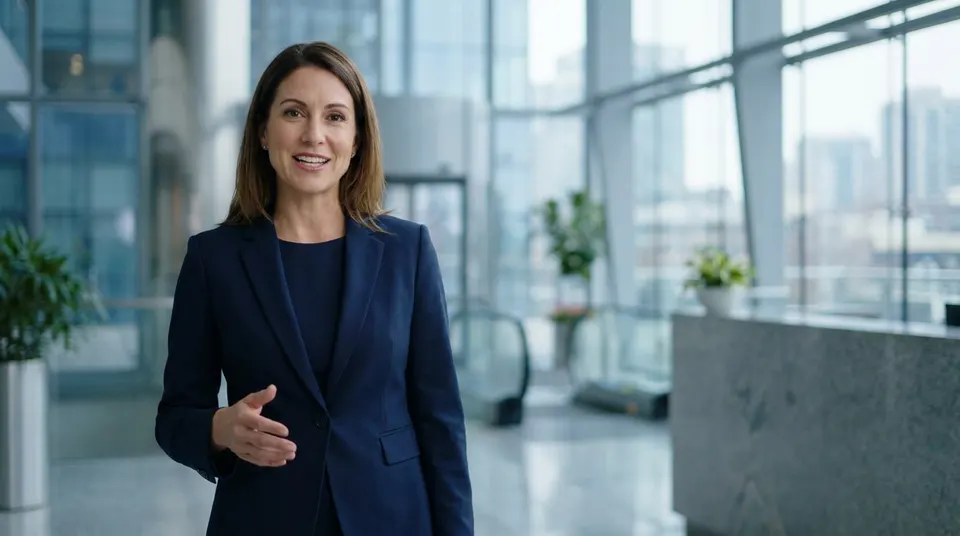 AI spokesperson videoA branded presenter for sales that reads your approved script on camera.Make an AI spokesperson video
 AI video generatorEvery way MakeAIVideo makes a video: a script, a prompt, an article, a presenter or a photo.See the AI video generator
Pricing
Start a 7-day free trial, then plans from $9/mo. A narrated stock footage video is about 4 credits a second and one with AI scenes about 22, and longer videos cost less per second: a 10-minute stock footage video is about 1,507 credits. Videos run up to 10 minutes, and stock-footage videos go up to 40 minutes on the Plus and Pro monthly plans.
The easy start. Every tool, one creator.
$9/mo
or $99 a year, 1 month free
600credits every month
Use them on any tool below
7 days free with 350 credits. Cancel before day 7 and you won't be charged.
For one creator posting every week.
$19/mo
or $190 a year, 2 months free
1,100credits every month
Use them on any tool below
7 days free with 350 credits. Cancel before day 7 and you won't be charged.
Long-form, your branding and a team of three.
$29/mo
or $290 a year, 2 months free
1,750credits every month
Use them on any tool below
7 days free with 350 credits. Cancel before day 7 and you won't be charged.
For teams and channels running at volume.
$49/mo
or $490 a year, 2 months free
3,000credits every month
Use them on any tool below
7 days free with 350 credits. Cancel before day 7 and you won't be charged.
Run out in a busy month? Add credits any time, from $5. Credits you buy never expire. See pricing
Every plan includes
How your script becomes a narrated video, how long it can run, and what you can change afterwards.
Something else? Visit the help center
You paste your script and MakeAIVideo generates an AI voiceover over real stock footage or AI-generated scenes, with word-by-word captions timed to the narration, then renders it as a finished MP4.
Yes. Script to Video uses your words verbatim for the narration, so you keep full control of the message. Prompt to Video drafts the words for you if you prefer that.
A curated library of natural AI voices for narration. You pick the voice before generating and can swap it later in the editor.
Yes. Word-by-word captions are generated and timed to the voiceover automatically, in your choice of caption style.
Up to 10 minutes, for stock footage or AI-generated scenes. For longer narrated content over real footage, stock-footage videos go up to 40 minutes on the Plus and Pro monthly plans.
No. Script to video narrates your words verbatim. The pipeline pulls visuals and pacing from your text, but the spoken track is exactly what you wrote, never a summary or rewrite.
No. Every export is a watermark-free 1080p MP4, yours to post anywhere. Watermark removal is never an extra charge.
Yes. Videos you generate are yours to monetize on YouTube, TikTok, Reels, or any other platform.
Script to Video narrates your exact written words over stock footage or AI scenes. Prompt to Video drafts everything (including the script) from a single line. Bring your own words to Script to Video; if you have an idea and want AI to build the whole video, use Prompt to Video.
Yes. Open the finished video in the built-in editor to regenerate a scene, re-roll the voice, or restyle the captions. The app shows the credit cost of a re-render before you confirm it.
Nothing is lost: your account and finished videos stay exactly as they are. Your plan credits refresh on your next billing date. Run out sooner? Add credits any time, from $5; credits you buy never expire.
Each video costs credits, all in: voiceover, scenes, captions and export. A narrated video with AI scenes is about 22 credits a second (15 seconds is about 324), and a narrated stock footage video is about 4 credits a second (30 seconds is about 112). Longer videos cost less per second: a 5-minute stock footage video is about 772 credits and a 10-minute one about 1,507. Plans start at $9 a month for 600 credits, and every plan starts with a 7-day free trial with 350 credits. The app shows the exact cost before you generate.
Start a 7-day free trial with 350 credits. Plans from $9/mo; cancel anytime before the trial ends.