Product explainers for landing pages
Turn a feature, launch, or pricing tier into a narrated 60 to 90 second clip that lives above the fold. Embed the 16:9 export, or make a 9:16 version for social to drive the same traffic from a different surface.
Type your topic or paste your script. MakeAIVideo writes (or narrates) it, records the AI voiceover, builds the scenes from real footage, adds captions and any music you pick, and renders a finished 30 to 90 second explainer video at 1080p, no editing required.
7 day free trial·Credits reset monthly · Credits you buy never expire
Concept in. Finished explainer out.
Most explainer-video tools either hand you a template marketplace and make you assemble scenes by hand, or output a single 6-second AI clip you still have to stitch into something watchable. MakeAIVideo runs the whole pipeline: a script that opens on the question, a natural AI voiceover, a scene per beat, word-by-word captions, optional background music, and a 1080p MP4 ready to post.
Take one idea and make it land. We open on the question, explain the mechanism, and pay it off.
What do you want to explain?
ExampleHow a heat pump moves warmth out of cold winter air and into your house.
One idea explains better than five. Narrow beats broad.
Length
Aspect ratio
Language
Auto (match my prompt)Estimated cost
~64 credits Example
How it works
If you have the exact words, paste them into Script to Video and the pipeline narrates them verbatim. If you have only the concept ('how our pricing tiers work', 'why mitochondria are the powerhouse of the cell'), type it into the Explainer tool and it drafts a script that opens on the question, explains the mechanism, and pays it off. Either way, the explainer is built around the message, not around a template.
Choose 30, 45, 60 or 90 seconds and set the aspect ratio: 9:16 for Reels and Shorts, 16:9 for YouTube and landing-page embeds, 1:1 for in-feed posts. Scenes use real filmed footage matched to each line by default, and the language follows your prompt unless you pick one of 24.
MakeAIVideo writes (or reads) the script, records the voiceover, matches a scene to each beat, and times word-by-word captions to the audio. Background music is optional, and you can add a track in the editor. Most explainers are ready in a few minutes. Nothing to stitch, nothing to time manually.
A watermark-free 1080p MP4 lands in your library. Post the default render as-is, or open the built-in editor to regenerate a scene that missed, swap the voice, restyle the captions, or add a music track. A regenerated scene costs about 50 credits on its own, with the cost shown first, so you can iterate without redoing the whole video.
See it in the app
Type a topic into the Explainer tab, or paste your own words into Script to Video. Explainers run on real filmed footage matched to each line by default. When the idea needs scenes no camera could film, a script can switch to AI video instead.
Footage
Real footage
$Real filmed clips matched to each line of your script
AI video
$$$Every scene generated from scratch, fully original
Voiceover
Narrate this video
An AI voice reads the script out loud
Background music
Pick music
No music
Generate with AI
Describe a track, ready in ~10 seconds
Estimated cost
~45 credits Example
All included
Voice, captions, and a watermark-free 1080p export come with every generation, and music is there when you want it. Open any explainer in the editor, and fixing one beat never means starting over.
Not happy with one scene? Regenerate it on its own with new visuals and voice, usually in a few minutes. The rest of the pacing stays exactly as it is.

Scene 2
Edits save automatically
Narration
ExampleThey built thousand-ton ceilings without a single steel beam, and most of them are still standing.
Regenerate this scene
New voice and visuals, usually 1-3 minutes.
1080p MP4
Export videoAudition 12 voices, including a professional read made for tutorials, choose a delivery, and re-record every scene in one go.
The narrator for the whole video
Pick a voice
Play to auditionSarahfemale · american
Mature, reassuring, confident
Brianmale · american
Deep, resonant, comforting, natural authority
Lilyfemale · british
Velvety, warm. British narrator
Danielmale · british
Authoritative British male, newscaster gravitas
Matildafemale · american
Knowledgeable, professional, perfect for tutorials
Delivery
Used when you applyStable
Calm, even
Balanced
Default
Expressive
Punchy
Apply to every scene
Re-records the narration. Visuals stay as they are, and your current export stays until you export again.
Pick from 120 tracks in 10 moods. The track dips while the voice speaks, and No music is always an option.
One track under the whole video. It dips while the voice speaks.
Library
ExampleNo music
Voice only, silence under the narration
Soft piano with strings
Calm · Soft piano with gentle strings, slow tempo, peaceful morning
Meditative ambient pad
Calm · Ambient pad with subtle bell tones, breathing room, meditative
Fingerpicked acoustic guitar
Calm · Acoustic guitar fingerpicking, soft brushed drums, calm afternoon
Burned-in captions timed to the voice, in 11 styles. Click any word in the transcript to fix it without re-recording.
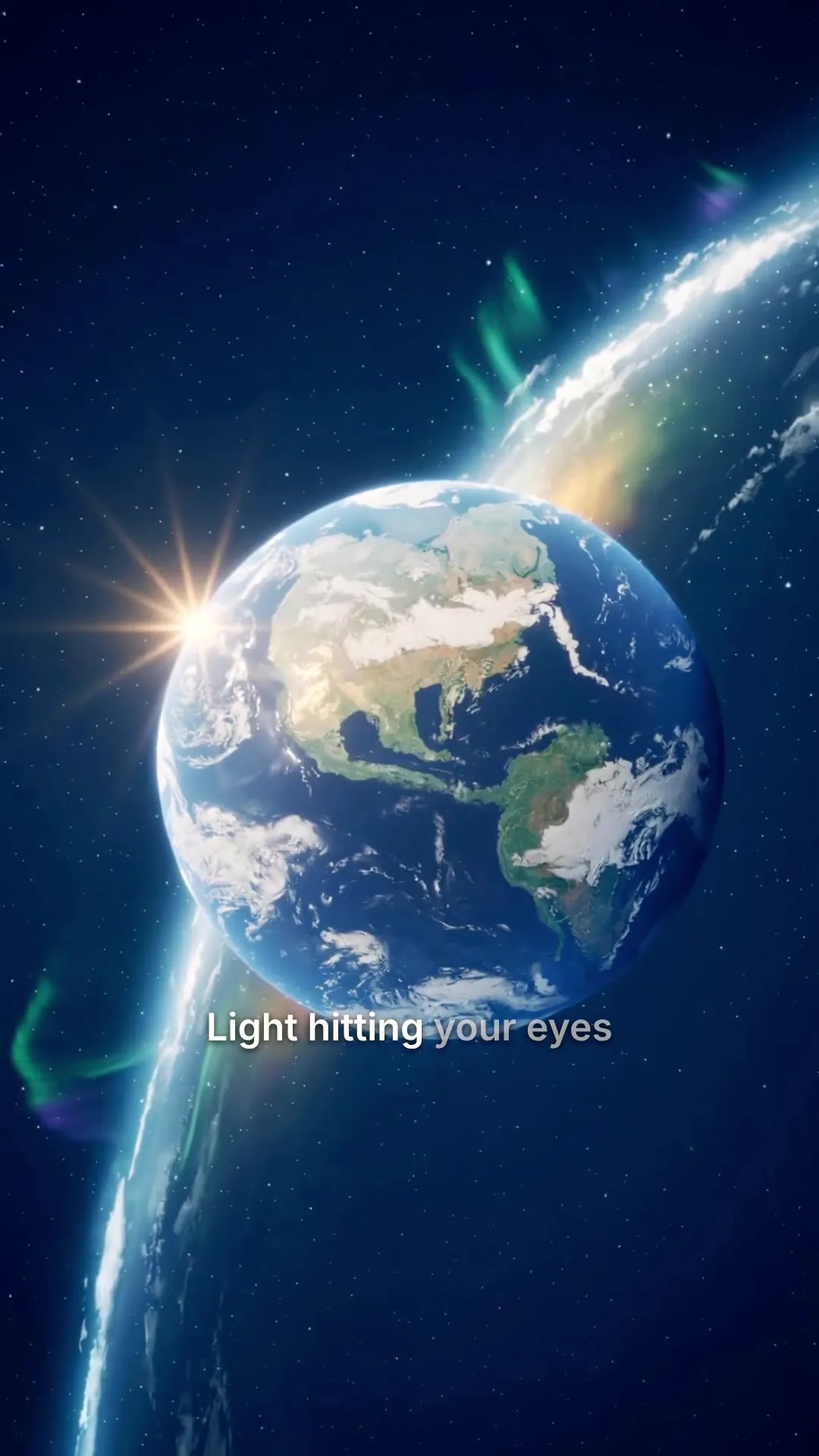
Clean, minimal, burned in
Edit transcript
Click any word to fix typos without re-rolling voice.
Scene #3
ExampleLight hitting your eyes left the sun eight minutes ago.
Scene #4
You are looking at the past, every single time.
Caption style
Edits save automatically
Export videoDownload a 1080p MP4 with SRT and VTT caption files for your video player, or send a client a download link.
Download
MP4 video
The finished video, ready to post
SRT captions
Subtitle file for TikTok, YouTube, CapCut
VTT captions
Subtitle file for web video players
Share link
ExampleAnyone with this link can download the MP4, no account needed.
Connect your AI agent
Connect Claude, ChatGPT or any MCP client and request an explainer the way you would brief a colleague. It picks the Explainer tool, checks the cost, and hands back the finished video.
MCP, API and CLI use the same credits and the same balance as the app.
Use cases
Built for the person who has the concept but not a video team.
Turn a feature, launch, or pricing tier into a narrated 60 to 90 second clip that lives above the fold. Embed the 16:9 export, or make a 9:16 version for social to drive the same traffic from a different surface.

Explain a single concept in 60 to 90 seconds with narration timed to scenes that illustrate the point. Each beat gets its own visual, so dense ideas read clearly without a presenter on camera.

Walk a new user through a feature, a workflow, or a release note. Re-render any time the product changes; no scheduling a video team, no re-shooting a screen recording.
Replace dense slide decks with paced narrated explainers. Same content, easier to watch, and a repeatable workflow whenever a process or policy updates.

Turn a one-paragraph pitch or board summary into a watchable explainer with a clear hook and a clean close. Useful for async stakeholder updates and pre-meeting context.

Take a 'why X works' or 'how Y is built' idea and ship a 9:16 narrated explainer with auto-captions. The format that earns reach on YouTube Shorts, Reels, and TikTok for educational content.
If you want a presenter on camera, an AI talking avatar lip-syncs an AI character to your script instead.
Course creators
Moving a course from slides and PDFs to video goes wrong when it happens in one sprint. Do it in phases, and only move on when the last phase moved completion on a real cohort.
List every lesson and score it on three things: where students get stuck, how often the content changes, and whether it sells on your personality or on structured information. Then lock the module order in writing. Re-shoots come from moving lesson 4 after it was recorded.
Not the intro. Make one to three short explainers for the single highest-friction lesson and check whether completion moves before you do more. The Explainer tool makes 30 to 90 second videos from the concept.
Short, scripted, and the same voice every time, so the course starts to feel video-native without re-recording lessons. A presenter from Talking Avatar works if you want a face.
Structured lessons (frameworks, definitions, step-by-step concepts) suit narrated explainers. Paste the lesson into Script to Video to keep your exact words, up to 10 minutes. Pick one look per module and hold it.
Once a question has come up three times, give it a 60 to 120 second answer and file it under its module. Re-render the answer when the underlying answer changes.
Market the course you actually built. Make the vertical cutdowns as well as the long trailer, each as its own render.
Concept lessons, module intros and outros, answers to repeat questions, and the promo cutdowns, each re-rendered from the script when the content changes. Downloads come with SRT and VTT caption files for your course platform.
Screen-recorded software walkthroughs, and lessons that sell on your personality, such as coaching or your own story. Record those yourself. If the sales page quotes student results, the FTC's Endorsement Guides usually read a specific result as typical, so hold proof or state the generally expected outcome.
SaaS teams
Making one explainer is easy. Keeping it true after the third headline change is the hard part. Gartner found 67% of B2B buyers prefer a rep-free buying experience, so the page and its video carry more of the sale, and HubSpot reports 96% of people say they watch explainer videos to learn more about a product.
Write the tagline and three to five feature bullets yourself, then let the narration connect them. Say what the product does and who it is for in the opening line, and save the story for the middle.
Swap the headline or a feature in the script and generate again from your credits. Ship version A, watch where visitors drop off, and have version B up the same week.
16:9 for the homepage hero. For the social cut, switch the ratio to 9:16 or 1:1 in the editor and export again; earlier renders stay in your render history.
The scenes show your idea with stock footage or AI video, not your interface. If your UI is stable and you want real screens, record them and cut them in with an editor.
Product demos
There are four shapes of demo, and they suit different volumes and deal sizes. MakeAIVideo makes the first one. The Product demo tool turns a description and your product photos, which guide the visuals, into a narrated video.
A narrated MP4 for the pricing page, an outbound email, a paid ad or an onboarding flow. One script serves every viewer, so the cost does not grow with views. This is what MakeAIVideo makes.
A clickable walkthrough of your real UI that buyers explore on their own. It earns its build time when the pricing page has real traffic and the product is browser-based. MakeAIVideo does not build these; use interactive demo software.
A rep records a walkthrough for one named prospect after a call. Strong on reply rates, but every video costs rep time, and HubSpot reports only about a third of a salesperson's day is spent selling. Worth it when the deal size carries it.
Buyers pick the clips they want from a library mapped to their role, which pre-qualifies large buying committees. An enterprise play that needs a content owner to build the library.
A scripted video has the lowest setup cost and a cost that stays flat as views grow, so it is the safe first shape: a 60 to 90 second video on the pricing page and in the outbound sequence. Add an interactive tour when pricing-page traffic justifies the build, and personal rep videos when deal sizes carry the rep time. For a presenter-led version, use an AI spokesperson video.
Best practices
'A 60-second explainer on how index funds work' will outperform 'a really good finance video'. Concrete subject + concrete length beats vague adjectives every time.
Short-form explainers retain best in the 60 to 90 second window. Beyond two minutes, viewer drop-off climbs sharply, especially on social and landing-page embeds.
The first three seconds decide whether the clip survives the scroll or the bounce. Open with the most interesting line, the surprising claim, or the stakes.
Each line of script becomes a scene. Mixing two ideas into one sentence dilutes the visual and crowds the captions. Short, single-idea sentences pace cleaner narration.
9:16 for Reels and Shorts, 16:9 for YouTube and landing-page embeds, 1:1 for in-feed posts. Captions are framed for the ratio you pick; switching afterwards costs a re-export.
If a single scene misses, open the editor and regenerate just that beat. Faster and cheaper than re-rendering the entire explainer, and the rest of the pacing stays intact.
 How to write a video scriptHook-body-close template, word counts per platform, and AI prompts to draft the script.Read how to write a video script
 Best AI marketing tools 202610 marketing tools tested across video, copy, SEO, email, and ad creative. Where explainer video sits in the stack.See the AI marketing tools
 AI talking avatarFor explainers that need a presenter on camera: an AI presenter reads your script, with captions.Make an AI talking avatar video
 AI video generatorEvery way MakeAIVideo makes a video, from an explainer brief to a script or a presenter.See the AI video generator
 AI spokesperson videoWhen the explainer needs a presenter: an AI spokesperson reads your approved script, lip-synced, at 1080p.Make an AI spokesperson video
 AI YouTube Shorts generatorTurn an explainer topic into a vertical Short with a hook-first script and captions.See the YouTube Shorts generator
Pricing
Every plan includes the Explainer tool, Script to Video, 1080p downloads and no watermark. A 30-second explainer over stock footage is about 112 credits, and the app shows what each explainer costs before you generate it. Every plan starts with a 7-day free trial.
The easy start. Every tool, one creator.
$9/mo
or $99 a year, 1 month free
600credits every month
Use them on any tool below
7 days free with 350 credits. Cancel before day 7 and you won't be charged.
For one creator posting every week.
$19/mo
or $190 a year, 2 months free
1,100credits every month
Use them on any tool below
7 days free with 350 credits. Cancel before day 7 and you won't be charged.
Long-form, your branding and a team of three.
$29/mo
or $290 a year, 2 months free
1,750credits every month
Use them on any tool below
7 days free with 350 credits. Cancel before day 7 and you won't be charged.
For teams and channels running at volume.
$49/mo
or $490 a year, 2 months free
3,000credits every month
Use them on any tool below
7 days free with 350 credits. Cancel before day 7 and you won't be charged.
Run out in a busy month? Add credits any time, from $5. Credits you buy never expire. See pricing
Every plan includes
How the explainer tool works, what it costs, and what you can do with the result.
Something else? Visit the help center
An AI explainer video is a short narrated video (typically 60 to 90 seconds) that explains a concept, product, or idea with an AI voiceover over real footage or AI-generated scenes and synced captions. MakeAIVideo builds the whole thing from your topic or your pasted script, with no filming, recording, or scene-stitching.
Drop in a topic or paste a script, pick a length and aspect ratio, and MakeAIVideo runs the full pipeline: script (if you didn't bring one), AI voiceover, a scene per beat, and word-by-word captions timed to the audio, rendered as a finished 1080p MP4, with background music if you add it. Most explainers are ready in a few minutes.
The Explainer tool makes 30, 45, 60 or 90 second videos, and 60 to 90 seconds is the sweet spot where short-form explainers retain best. For something longer, Script to Video and Prompt to Video go up to 10 minutes, or 40 minutes for real-footage videos on the Plus and Pro monthly plans, but most explainers land their idea most cleanly inside 90 seconds.
9:16 portrait for Reels, Shorts, and TikTok; 16:9 landscape for YouTube and landing-page embeds; 1:1 square for in-feed posts on Instagram and Facebook. Scenes and captions are framed for the ratio you choose, so pick it before generating.
No. Every export is a watermark-free 1080p MP4, yours to embed on a landing page, post to social, or send to a client. Watermark removal is never an extra charge.
Most explainers are ready in a few minutes end to end. Longer videos, AI-generated scenes, and regenerated scenes add to that, but a typical short explainer is ready while you make a coffee.
Yes. Videos you generate are yours to use commercially: landing pages, product pages, ads, client deliverables, monetised YouTube channels. Real-footage scenes use stock clips licensed for commercial use, and AI scenes are generated fresh for your video. See the full terms.
Yes. Open the finished video in the built-in editor to regenerate a scene that missed, swap the voice, restyle the captions, fix a word in the transcript, or add a music track. A regenerated scene costs about 50 credits on its own, and the editor shows the cost before you confirm.
Not unless you want to. Type one line about the topic and the pipeline drafts a hook-body-close script for you. If you already have the exact wording, Script to video keeps your script verbatim and narrates it word for word.
Most AI video tools generate a 5 to 10 second clip and stop, leaving you to write the script, record the voice, and stitch the clips together yourself. MakeAIVideo runs the entire explainer pipeline: script, voiceover, multiple scenes, captions, optional music, finished MP4. You get a 60 to 90 second explainer you can post, not a raw clip you still need to edit.
Plans start at $9 a month, and every plan starts with a 7-day free trial that includes 350 credits. An explainer uses credits per second of finished video, all in: script, voiceover, scenes, captions and export. A 30-second explainer over stock footage is about 112 credits, and a 30-second explainer with AI scenes and voiceover about 612. The app shows the exact credit cost before anything is made. Run out? Add credits any time, from $5. See MakeAIVideo plans and pricing.
Yes, for lessons that teach structured information: a concept, a framework, a definition, a process. Type the concept into the Explainer tool for a 30 to 90 second lesson, or paste the lesson script into Script to Video to keep your exact words for up to 10 minutes. Download SRT or VTT caption files alongside the MP4 for your course platform. Lessons that sell on your personality are better recorded yourself.
No. MakeAIVideo builds scenes from stock footage or AI-generated video, not from your screen, so a click-by-click software walkthrough still belongs in a screen recorder. Use an explainer for the concept around it: what the feature is for and when to use it.
It makes one kind of demo: the scripted, narrated demo video for a pricing page, an outbound email, an ad or an onboarding flow. It does not build interactive click-through tours of your product or record personal rep videos. The Product demo tool turns a description and product photos, which guide the visuals, into a narrated video.
Yes, and that is the main reason to make it this way. Change the headline line or a feature in the script and generate again from your credits, with no agency revision cycle. The app shows the cost before you generate.
If your UI is stable and polished, real screens add credibility, so record them and cut them in with an editor. MakeAIVideo shows the idea with stock footage or AI scenes instead of your interface, which is safer while the UI is still changing.
Making the video with AI is not what triggers the FTC's rules; endorsements are. If the explainer includes a customer testimonial or a student result, the FTC's Endorsement Guides apply however the video was made: a results claim is usually read as typical, so hold proof or state the generally expected result plainly.
Nothing is lost. Your account and finished videos stay exactly as they are, and your plan's credits reset on your next billing date. Run out? Add credits any time, from $5.
Start a 7-day free trial with 350 credits. Plans from $9 a month, and you can cancel anytime before the trial ends.