
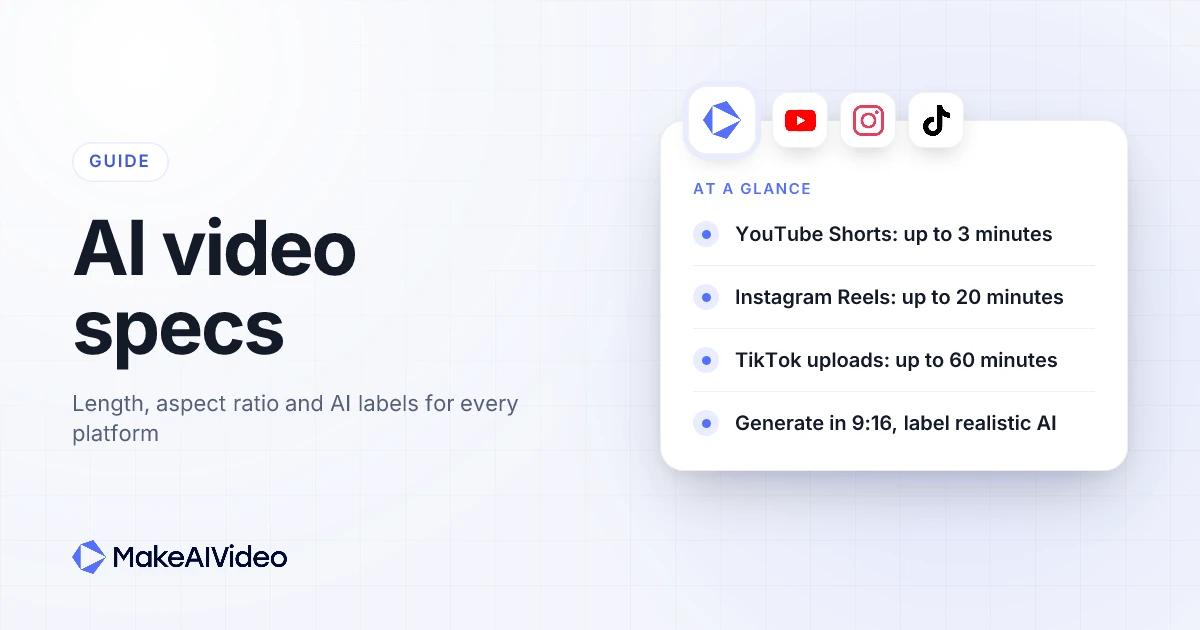
Here are the AI video specs that matter before you generate: YouTube Shorts run up to 3 minutes in a square or vertical frame, Instagram Reels up to 20 minutes (but only 3 minutes or less get recommended to new audiences), and TikTok uploads up to 60 minutes. Generate in 9:16 for all three. Then label it: YouTube, TikTok and Meta all ask you to disclose AI video that looks realistic, and each gives you a switch or a label to do it. Below is the full table for seven platforms, every number taken from the platform's own help pages, followed by how to fit a script to each length and how to make each format in MakeAIVideo's Shorts generator and the tools around it.
Written by Jamie Partridge, Founder of MakeAIVideo.
AI video specs for every platform at a glance
Every row below comes from the platform's own help or newsroom pages, read on 5 November 2026. Limits change often (TechCrunch reported in October 2024 that Shorts were moving to three minutes), so the source column links the page each number came from.
| Platform | Max length | Ratio to generate | AI label rule | Official sources |
|---|---|---|---|---|
| YouTube Shorts | 3 minutes, uploaded or recorded in the app | 9:16 (square or vertical counts as a Short) | Disclose realistic AI content: Studio, Attributes, "AI use" | Shorts length, AI disclosure |
| YouTube (regular uploads) | 15 minutes by default; verified accounts up to 12 hours or 256 GB | 16:9 | Same disclosure as Shorts | Long uploads |
| Instagram Reels | 20 minutes; over 3 minutes is not recommended to new audiences | 9:16 (accepted range 1.91:1 to 9:16) | Meta requires a label on photorealistic AI video or realistic AI audio | Reel length, Reel ratios |
| TikTok | 60 minutes uploaded, 10 minutes recorded in the app | 9:16 | Required on realistic AI content; turn on the "AI-generated content" setting | Video length, AI label |
| Facebook Reels | No length or format restriction; every video posts as a reel | 9:16 (any orientation is accepted) | Same Meta rule as Instagram | Facebook reels, Meta announcement |
| 15 minutes (3 seconds minimum) | 9:16, 1:1 or 16:9 (accepted range 1:2.4 to 2.4:1) | No label tool; LinkedIn recommends saying so if you relied heavily on AI | Video requirements, AI best practice | |
| X | 140 seconds without a subscription; much longer with one | Any of 9:16, 1:1 or 16:9 | No creator label; deceptive synthetic media can be labelled or removed | X video help, Authenticity policy |
Two patterns stand out. The three short-form apps all take 9:16, so one vertical render from the TikTok and Reels pipeline can go to all of them. And the AI label rules agree on the trigger: content that looks real. Clearly stylised or animated AI video sits outside YouTube's and Meta's requirements, though TikTok still encourages a label on anything completely generated by AI.
Pick the ratio before you generate. Each MakeAIVideo render makes one video in one ratio: 9:16, 16:9 or 1:1. Scenes and captions are framed for the ratio you choose, so set 9:16 for Shorts, Reels and TikTok up front rather than cropping a wide video later. Start your 7-day free trial →
How long can YouTube Shorts be?
YouTube Shorts can be up to 3 minutes long. YouTube's help page on three-minute Shorts says "You can upload Shorts that are up to three minutes through the YouTube app and YouTube Studio", and its getting started guide says you can record "short-form videos that are up to 3 minutes long" with the multi-segment camera. So the YouTube Shorts max length is the same whether you upload or record in the app.
What makes a video a Short is the shape as well as the length. Per the same page, videos "with a square or vertical aspect ratio up to three minutes in length" are classified as Shorts. A landscape video is not. YouTube's own advice runs the other way too: "If you don't want your content to be classified as Shorts, use a wider aspect ratio such as 16:9 for long-form videos."
Two smaller YouTube Shorts length rules are worth knowing:
- Music. "You can use most songs for up to 90 seconds in a 3 minute Short."
- Copyright claims. "Shorts longer than one minute that have an active Content ID claim, regardless of the policy, will be blocked on YouTube." Under a minute, nothing changed. If your AI Short uses licensed music you have not cleared, keep it under 60 seconds or swap the track.
For a 5 or 10 second Short animated from one still photo, the library of photo motion prompts has 40 lines to start from.
Ratio to generate: 9:16. Square counts as a Short too, but 9:16 fills the vertical player.
AI label: YouTube's page on disclosing GenAI content says "We require creators to disclose AI-generated or altered content that seems realistic." In YouTube Studio, the setting sits in the Attributes section under "AI use". You don't need to disclose "non-realistic content that's made with AI", or AI used only for scripts, titles, thumbnails or captions, and disclosure "alone won't limit a video's audience or impact its eligibility to earn money".
In MakeAIVideo: the vertical Short builder renders a 9:16, 1080p MP4 with script, voiceover, scenes and word-by-word captions. Length presets are 15 seconds, 30 seconds and 1 minute, or a custom length. When you post it from the app, a 9:16 video goes up to YouTube as a Short and a 16:9 one as a regular video.
YouTube video length limits for regular uploads
Regular YouTube uploads can be up to 15 minutes by default, and up to 12 hours once your account is verified. YouTube's page on uploading videos longer than 15 minutes says "By default, you can upload videos that are up to 15 minutes long" and "Verified accounts can upload videos longer than 15 minutes." The ceiling for everyone is "256 GB or 12 hours, whichever is less."
Ratio to generate: 16:9, which YouTube names as the ratio for long-form videos. AI label: the same "AI use" disclosure as Shorts applies.
For a faceless channel that runs both formats, generate the same script twice: once at 9:16 for Shorts and once at 16:9 for the main channel. The faceless workflow page covers that workflow, including when to tick the disclosure box.
How long can Instagram Reels be?
Instagram Reels can be up to 20 minutes long, but Reels over 3 minutes won't be recommended to new audiences. Instagram's help page on recording a reel says "You can record and edit videos up to 20 minutes with Instagram Reels" and "You can record one or multiple clips that add up to 20 minutes." The note underneath is the part that matters for reach: "Reels over 3 minutes won't be recommended to new audiences."
That makes 3 minutes the practical Instagram Reels length for anything you want discovered. The 20 minute limit suits followers who already know you. The change was recent: TechCrunch reported in January 2025 that US creators could publish Reels up to three minutes long, "a notable increase from the previous 90-second limit."
Ratio to generate: 9:16. Instagram's page on reel size and aspect ratios says "You can upload a reel with an aspect ratio between 1.91:1 and 9:16" and that "Reels should have a minimum frame rate of 30 FPS (frames per second) and minimum resolution of 720 pixels." A 1080p export clears both.
AI label: see the Meta section below. It covers Instagram, Facebook and Threads together.
In MakeAIVideo: the Instagram Reels generator makes a 9:16 Reel from one line, with captions burned in. Write the caption under it with a free caption drafter before you post.
How long can TikTok videos be?
TikTok videos can be up to 60 minutes long when you upload them, and up to 10 minutes when you record in the app. TikTok's camera tools help page lists both: "Videos you record in TikTok can be up to 10 minutes long" and "Videos you upload in TikTok can be up to 60 minutes long." An AI video is always an upload, so the 60 minute TikTok video length is the one that applies.
One catch from the same page: "If you select a sound before you record or upload your video, the video length will be determined by the sound length." Add the sound after you upload a finished video if you want to keep its full runtime.
Ratio to generate: 9:16. TikTok's creative best practices list "orienting vertically at 9:16" among the basics, along with "shooting at least 720P resolution".
AI label: TikTok's page about AI-generated content says "We also require creators to label all AI-generated content that contains realistic images, audio, and video", and encourages a label on content "either completely generated or significantly edited by AI". To apply it on a video: tap Add post, upload, tap Next, then "Tap More options ..., then turn on the AI-generated content setting." TikTok also accepts disclosure "by adding text, a hashtag sticker, or context in the post's description", and says turning the setting on "won't affect the distribution of your video".
TikTok can apply an "AI-generated" auto label when a file carries Content Credentials (C2PA metadata). MakeAIVideo exports do not carry them, so the label is yours to add. The post dialog in MakeAIVideo has no switch for TikTok's label, so either write the disclosure into the caption or download the video and turn the setting on in the TikTok app.
In MakeAIVideo: the TikTok video generator renders 9:16 at 1080 x 1920 by default. Check the caption length with the TikTok caption counter before you schedule it.
One vertical render, three apps. A 9:16 video sized for TikTok is the same file Reels and Shorts want. Tick TikTok, Instagram and YouTube in the post dialog, write a caption for each, and the same clean MP4 goes to all three. Start your 7-day free trial →
Facebook Reels length and AI labels on Meta
Facebook Reels have no length limit: since 2025, every video posted to Facebook is shared as a reel, whatever its length or orientation. Meta's June 2025 announcement says "Reels on Facebook will also not have any length or format restrictions", and Facebook's help page on creating a reel confirms it: "All videos posted to Facebook will be shared as reels, regardless of length or orientation."
Paid placements are different. Meta's video ad specs for Facebook Feed list a video duration of "1 second to 241 minutes" and recommend a 4:5 ratio for that placement.
Ratio to generate: 9:16 for an organic reel, so the same vertical Reel works on Instagram. Facebook accepts any orientation.
AI label (Instagram, Facebook and Threads): Meta's rule is written once for all three apps. Its February 2024 policy post says "We'll require people to use this disclosure and label tool when they post organic content with a photorealistic video or realistic-sounding audio that was digitally created or altered, and we may apply penalties if they fail to do so." The label viewers see is "AI info", which Meta added in 2024 "when people disclose that they're uploading AI-generated content" or when it detects industry standard signals.
Meta's Threads help page gives the clearest examples. "A reel narrated with a realistic AI-generated voiceover" needs a label. A "Video of an outdoor landscape, created in a style resembling a cartoon" does not. On Threads, you tap the menu and choose "Add AI label" when you create the post. If you skip the label, "an AI content label will be applied if Meta detects that the content was AI-generated."
LinkedIn video length and specs
LinkedIn videos can be up to 15 minutes long, with a 3 second minimum. LinkedIn's video sharing help page lists "Maximum video duration: 15 minutes" and "Minimum video duration: 3 seconds when uploading from desktop and 2 seconds when uploading from the LinkedIn mobile app", with a 5 GB file limit. Videos on a company Page's Life or What We Do tab are capped lower, at 10 minutes, per the Pages video specs.
Ratio to generate: the accepted range is "1:2.4 - 2.4:1", so 9:16, 1:1 and 16:9 all fit. LinkedIn does not name a preferred ratio, so generate in whichever ratio the same video uses elsewhere. A narrated explainer made with one-line prompt generation works in any of the three.
AI label: LinkedIn's help pages document no AI label tool. Its page on content created with the help of AI says "we recommend that you let others know (if it isn't obvious from the context) if you've relied heavily on AI to help create or modify the content." A line in the post text does that. Sprout Social's guide to AI disclaimers gives the same advice for LinkedIn: disclose in your caption.
X video length limits
X videos can be up to 140 seconds long without a subscription. X's video help page says "If you aren't subscribed to X Premium or a Plus, Premium, Super, or Ultra plan on The X Subscription, you can still upload videos up to 140 seconds long with a maximum file size of 512MB." Subscribers get far longer uploads; the same page says they "are able to upload videos shorter than 4 hours at 1080p".
Ratio to generate: any of the three. Posting from MakeAIVideo accepts 9:16, 16:9 and 1:1 for every platform it supports, X included, and it posts videos up to 140 seconds to X.
AI label: X documents no creator AI label. Its authenticity policy says "You may not share inauthentic media, including, manipulated, or out-of-context media that may result in widespread confusion on public issues, impact public safety, or cause serious harm", including "media depicting a real person that has been fabricated or simulated, especially through use of algorithms or broader artificial intelligence." Sharing such media "in non-deceptive ways" is allowed, so an honest caption line is the simple safeguard.
The right AI video length for each goal
The maximums above are ceilings, not targets. The length that fits depends on what the video has to do:
- A single tip or hook test: 15 to 30 seconds. About 40 to 75 spoken words. The easiest length to hold to the end, and the cheapest to test.
- The default for most topics: 30 to 60 seconds. About 75 to 150 words: a hook, a short body and one ask. Under a minute also keeps YouTube's Content ID rule for longer Shorts out of the picture.
- A story or deep dive: 1 to 3 minutes. Only when the topic is dense enough to carry it. Three minutes is the cap for a Short and the recommendation limit for a Reel.
- Long form: over 3 minutes. Generate at 16:9 for YouTube, or post to TikTok, where uploads run to 60 minutes.
The same word counts hold for a presenter on camera, such as an AI talking avatar reading your script.
Whatever the length, the opening matters most. TikTok's creative best practices say to "Prioritize your hook in the first 6 seconds" and to "Introduce your content proposition in the first 3 seconds for better recall and awareness." That guidance is written for ads, but it applies to any vertical feed. A hook writer drafts openers you can test.
Making AI videos that fit each platform
Length in an AI video is set by the script, not the edit. The voiceover reads at a steady pace, so the word count decides the runtime. The AI presenter script box puts it at "about 150 words makes a 60 second talking head", and the same rate holds for a narrated faceless video.
Three steps keep a script inside a platform's limit:
- Count the words first. Paste the draft into the speech time calculator and trim until the runtime fits: about 75 words for 30 seconds, about 450 words for 3 minutes.
- Set the length and ratio before you generate. Pick a 15 second, 30 second or 1 minute preset, or type a custom length up to 10 minutes. Stock-footage videos can run to 40 minutes on the Plus and Pro plans.
- Write the hook as the first line. The guide to writing an AI video script covers hook, body and close for each length.
For a whole video from one line, use prompt to video. For a 5 or 10 second clip from a single photo, use image to video. Credits scale with length: a 30 second video built from stock footage is about 112 credits, and a 30 second video in AI scenes with voiceover is about 612. The full credit table lists every tool, with plans from $9 a month.
When the video is done, post or schedule it from MakeAIVideo to TikTok, Instagram (as a Reel), YouTube (a Short or a regular video, by ratio), Facebook Pages (as a Reel), LinkedIn, X, Threads, Pinterest, Bluesky, Telegram and Discord. Add the AI disclosure in the caption, or in the platform's own setting, wherever the content looks real.
Set the length in words, not seconds. About 150 words makes a minute. Draft the script, check it against the limit for the platform it is going to, then generate in the ratio that platform wants. Start your 7-day free trial →
AI video specs FAQ
How long can YouTube Shorts be?
YouTube Shorts can be up to 3 minutes long, whether you upload them or record them in the YouTube app. A video only counts as a Short if it is square or vertical, so a 16:9 video under 3 minutes is a regular upload. Shorts over 1 minute with an active Content ID claim are blocked.
How long can Instagram Reels be?
Instagram Reels can be up to 20 minutes long. Instagram says Reels over 3 minutes won't be recommended to new audiences, so keep anything you want discovered at 3 minutes or less. Upload at a ratio between 1.91:1 and 9:16.
How long can TikTok videos be?
TikTok videos can be up to 60 minutes when uploaded and up to 10 minutes when recorded in the app. An AI video is an upload, so the 60 minute limit applies; check timing with a script runtime check. If you pick a sound first, the sound's length sets the video's length.
What aspect ratio should I generate an AI video in?
Generate in 9:16 for YouTube Shorts, Instagram Reels, TikTok and Facebook Reels, 16:9 for regular YouTube videos, and any of 9:16, 1:1 or 16:9 for LinkedIn and X. Choose before you generate, because scenes and captions are framed for that ratio.
Do I have to label AI-generated videos?
On YouTube, TikTok, Instagram, Facebook and Threads, yes, if the video looks realistic. Each platform requires disclosure of realistic AI video, and offers a setting or label for it. Clearly animated or stylised AI video is outside YouTube's and Meta's requirements, though TikTok encourages a label on any fully AI-generated content.
How do I add the AI label on YouTube and TikTok?
On YouTube, choose Yes under "AI use" in the Attributes section of YouTube Studio's upload steps. On TikTok, tap More options before posting and turn on the AI-generated content setting, or write the disclosure into the caption.
How long can videos be on LinkedIn and X?
LinkedIn videos can be up to 15 minutes, with a 3 second minimum. X allows 140 seconds without a subscription, and subscribers can upload videos of up to several hours.

Written by Jamie Partridge
Founder at MakeAIVideo. Writing about AI video generation, scripting, scenes, and shipping content faster.