Long-form YouTube (16:9)
Educational, science, history or commentary videos of several minutes, narrated over stock footage or AI scenes. Up to 10 minutes, or 40 minutes of stock footage on the Plus and Pro monthly plans.
Type a topic or paste a script and MakeAIVideo writes the hook, generates the voiceover and scenes, adds captions and any music you pick, and renders a 1080p MP4 for long-form YouTube or Shorts. Review it, then post it to your channel without filming or voicing anything yourself.
7-day free trial, 350 credits·Plans from $9/mo · Cancel anytime
Naming the channel first? Try the free YouTube channel name generator and YouTube description generator.
The definition
A faceless YouTube channel publishes videos without the creator ever appearing on camera. The script and the visuals carry each video instead: a narrator over footage, generated scenes, animation or an AI presenter. It suits explainers, history, science, finance, how-to and storytelling, where viewers come for the information rather than the person. For real channels built this way, see these YouTube automation examples.
An AI narrator reads the script and each line is matched to real stock footage. This is the default in MakeAIVideo and suits explainers, history, finance and how-to.
Every scene is generated in one of 15 visual styles, from Documentary to Anime, by our AI video models. Good for stories and topics no stock library covers.
A recurring face that isn't yours: an AI talking avatar reads your script to camera, or design a character of your own with the AI influencer generator.
Film a 3 to 60 second clip yourself and AI character swap puts a different character in your place, so your own face never appears.
Not re-uploads, and not compilations of other people's clips. YouTube's monetization policies exclude reused content without significant original commentary or changes, and videos that are mass-produced or repetitive. Faceless means your face is off camera, not that the work is someone else's.
One pipeline, not five tools
Most faceless workflows either auto-post whatever an AI generates, or have you stitching separate apps: script in one tab, voice in another, visuals in a third, captions in a fourth. MakeAIVideo runs it in one flow. Each line of your script is matched to real stock footage by default, or you can switch to AI video and have every scene generated. Videos run up to 10 minutes, and stock-footage videos go up to 40 minutes on the Plus and Pro monthly plans.
Footage
Real footage
$Real filmed clips matched to each line of your script
AI video
$$$Every scene generated from scratch, fully original
Voiceover
Narrate this video
An AI voice reads the script out loud
Background music
Pick music
No music
Generate with AI
Describe a track, ready in ~10 seconds
Estimated cost
~45 credits Example
How it works
How to create a faceless YouTube channel from zero, in eight steps: from picking the niche to the weekly rhythm that keeps it growing.
Choose one lane you can cover for months without running dry: 'personal finance for nurses' beats 'finance'. If you can't list 100 video titles for it tonight, pick another. The free faceless YouTube channel idea generator shortlists niches by production style, and the YouTube automation niches ranked by RPM show which ones pay.
Use a Google account kept for the channel with 2-Step Verification on, which the Partner Program requires. Create the channel under a Brand Account so you can add managers later, claim an @handle of 3 to 30 characters that matches the name, and add a 2560 × 1440 banner. No name yet? Try the YouTube channel name generator.
Narration over stock footage suits almost any niche; AI scenes suit stories; a talking avatar gives the channel a consistent AI face. Keep the format for your first 30 uploads, but make every script genuinely different: YouTube does not monetize videos that feel templated or interchangeable.
Type the specific video idea, not the whole channel: 'Why airplane windows are round, 60-second explainer' beats 'a video about planes'. MakeAIVideo writes a script with a hook up front, a body that pays it off and a close; or paste your own words and they are narrated as written. Check the spoken length with the speech time calculator.
Pick a narrator and a visual style, then generate. The voiceover records, every line becomes a scene, word-by-word captions time to the audio, and any music you pick ducks under the narration. Short clips are usually ready in a few minutes. Running an anime story channel? The AI anime video generator covers that style.
Watch each render once with sound for a robotic line, a wrong scene or a misread caption, then once muted to check the captions carry it alone. Fix what fails in the editor: regenerate a weak scene, swap the voice or correct a caption word, without starting over.
Put the main keyword early in a title that says what the viewer gets (the YouTube title generator drafts options) and design a thumbnail that reads at phone size. Then auto post to YouTube now or on a schedule, or download the MP4 and upload it yourself.
Start at one video a week while you learn the format, then step up once production is routine. A simple weekly loop: topics and scripts on day one, renders mid-week, publishing after that, and a look at retention and click-through to choose next week's topics.
Topic to video
Type a niche topic, set the length and the ratio, generate, review, post. Start from one line with prompt to video, or bring a finished script to script to video and it is narrated word for word.
Your prompt
ExampleA 15 second documentary about how the Romans built the Colosseum, with a hook in the first line and a question at the end.
Or start from an example
Length
Aspect ratio
Sarah Female · American
Mature, reassuring, confident
Captions
Word-by-word, auto-styled
Estimated cost
~324 credits Example
Pick your shelf
Most faceless channels run both: Shorts to be found, long-form to be watched. Each render is one ratio, so make each shape on purpose rather than cropping one into the other.
Never stuck for a topic
A faceless channel needs a steady list of topics in one lane. Type your niche, pick a tone and get ten concepts, each with a hook and an angle, then press Make this to turn one into a video. Want ideas before you sign up? Try the free faceless YouTube channel idea generator.
Niche / topic area
Ancient history for curious adults
Tone
The trick that made Roman concrete outlast ours
Hook
“Their harbours are still standing. Ours crack in fifty years.”
Angle
One ingredient, explained with a single experiment you can picture.
Publish when you are ready
Connect your YouTube channel, open a finished video and choose Post to your accounts. Add a title and description, then post now or pick a date and time. Nothing is posted the moment it renders, so every video is reviewed before it goes out under your channel's name. See how to auto post to YouTube, TikTok and Instagram, and cross-post your Shorts with the TikTok video generator.
We upload the finished file to each account you pick.
Where should it go?
@yourbrand
TikTok
@yourbrand
Instagram · Posts as a Reel
Your Brand
YouTube · Vertical videos post as Shorts
Caption
RewriteRome did not build the Colosseum with magic. It built it with one ingredient we forgot. #history
Customise caption per platform
Schedule (optional, leave empty to post now)
Goes out within about two minutes of it.
All included
No add-ons, no second tool, no stitching across apps. Open a video in the editor to regenerate a weak scene, swap the narrator, add music or fix a caption word, then export again.
Scene 2
Edits save automatically
Narration
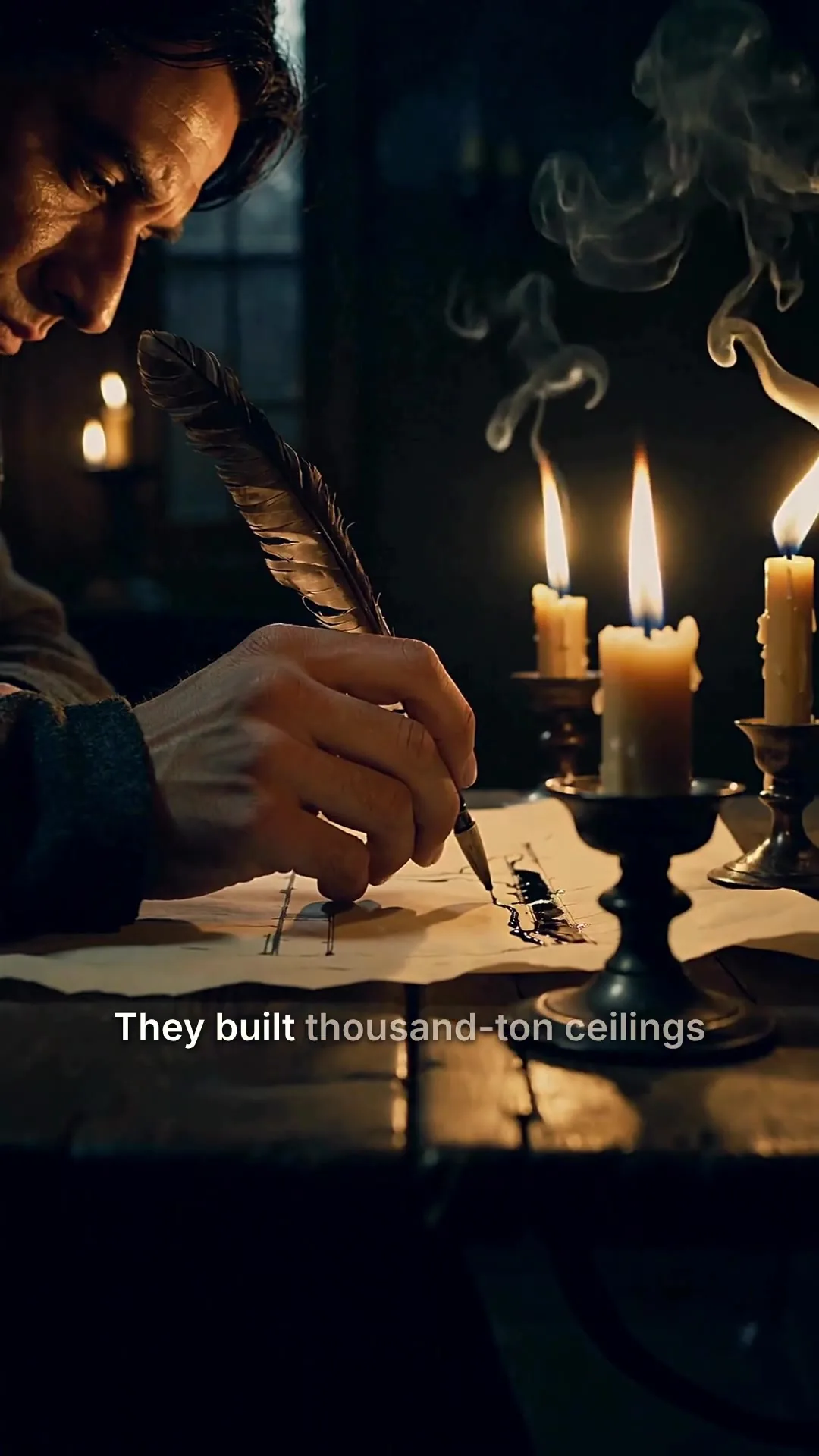
ExampleThey built thousand-ton ceilings without a single steel beam, and most of them are still standing.
Regenerate this scene
New voice and visuals, usually 1-3 minutes.
1080p MP4
Export videoChoosing your tools
Whatever you use, each video needs the same five things done. Here is what each job asks for, and how much of it MakeAIVideo covers.
The words the video narrates, with the hook up front.
In MakeAIVideo
Written from your topic, or your own words pasted and read as written. Drafting elsewhere first? The video script generator is free.
One narrator the audience hears on every upload.
In MakeAIVideo
A library of AI narrators with stable, balanced or expressive delivery, in any of 24 languages.
Footage that matches each line, so the viewer always has something to watch.
In MakeAIVideo
Real stock footage matched per line by default, or AI-generated scenes in one of 15 visual styles.
Captions for muted viewers, and music that sits under the voice.
In MakeAIVideo
Word-by-word captions timed to the narration. Music only if you add it.
What earns the click in search and in the feed.
In MakeAIVideo
The post dialog drafts a description from your script. Thumbnails you design separately; the YouTube description generator helps with the rest.
A stack of separate voice, footage and editing apps can cost less per video at high volume, but every handoff between them is time you are not publishing. Starting out, one app that ships the finished video gets you to your first 30 uploads faster; specialise later if a job outgrows it.
A channel with a voice
A faceless channel still has a voice. Pick one narrator and keep it, and publish in the language your audience speaks.
Audition the voices, choose a delivery from calm to punchy, and use the same narrator on every upload.
The narrator for the whole video
Pick a voice
Play to auditionSarahfemale · american
Mature, reassuring, confident
Brianmale · american
Deep, resonant, comforting, natural authority
Lilyfemale · british
Velvety, warm. British narrator
Danielmale · british
Authoritative British male, newscaster gravitas
Matildafemale · american
Knowledgeable, professional, perfect for tutorials
Delivery
Used when you applyStable
Calm, even
Balanced
Default
Expressive
Punchy
Apply to every scene
Re-records the narration. Visuals stay as they are, and your current export stays until you export again.
Pick from 24 languages, or let it match the language of your prompt.
Your prompt
ExampleUn video de 30 segundos sobre por qué el pan sube en el horno.
Script, voiceover and captions follow it
Generate videoCosts
The credit cost depends on length and on whether scenes are stock footage or AI-generated. These estimates include the script, narration, captions and export; the create screen shows the exact cost before you generate. AI scenes cost more per second than stock footage, and longer videos cost less per second than short ones.
| Video | Credits |
|---|---|
| Stock footage, per second | about 4, less on long videos |
| 30 s, stock footage | about 112 |
| AI scenes, per second | about 22 |
| 15 s, AI scenes | about 324 |
| 30 s, AI scenes | about 612 |
| 1 min, stock footage | about 184 |
| 5 min, stock footage | about 772 |
| 10 min, stock footage | about 1,507 |
| 1 min, AI scenes | about 1,190 |
| Plan | Price a month | Credits a month |
|---|---|---|
| Lite | $9 | 600 |
| Solo | $19 | 1,100 |
| Plus | $29 | 1,750 |
| Pro | $49 | 3,000 |
Compare these with the costs per video to plan your posting rhythm. Plan credits reset monthly and don't roll over. Run out? Add credits any time, from $5; credits you buy stack on top and never expire.
Stay monetizable
AI is allowed on a monetized channel. What YouTube won't pay for is sameness: videos that are templated, repetitive or taken from somewhere else. These are the rules a faceless channel needs to know, from YouTube's own help pages.
YouTube's channel monetization policies say monetized videos must not be "mass-produced, generic, repetitive, or manipulative", and that the substance of each video should be materially varied. That includes AI videos made from generic templates without the creator's own insight or perspective.
YouTube updated its Partner Program monetization policies on 15 July 2025, which TechCrunch reported as a move to better identify mass-produced and repetitive content. Search Engine Journal's summary notes that the same intro and outro on every video is fine if the body changes, and that demonetized videos can stay on YouTube if they follow the Community Guidelines.
The same policies rule out repurposing content already on YouTube or elsewhere without significant original commentary, substantive changes, or educational or entertainment value. A narrated video built on your own script and research is your work; a compilation of other channels' clips is not.
YouTube asks you to disclose GenAI content that makes a real person appear to say or do something they didn't, alters footage of a real event or place, or generates a realistic scene that didn't happen. Using AI to help with the script, title, thumbnail or captions needs no disclosure. The setting is in YouTube Studio under Attributes, then AI use.
Connect your AI agent
Connect Claude, ChatGPT, Grok or any MCP client and hand it the topic. It makes the faceless video with the same pipeline as the app and posts it to your YouTube channel when you ask.
MCP, API and CLI use the same credits and the same balance as the app.
Formats
The niches where the script and the visuals carry the value, and nobody misses a presenter.
Educational, science, history or commentary videos of several minutes, narrated over stock footage or AI scenes. Up to 10 minutes, or 40 minutes of stock footage on the Plus and Pro monthly plans.

Vertical clips with a hook-first script and captions burned in, sized for the Shorts feed. The YouTube Shorts generator covers the format in depth.

Historical retellings, mystery breakdowns and true stories told through narration and scenes, no presenter needed. The Documentary style keeps AI scenes in that register.

Step-by-step breakdowns where the narration carries the value. For a single product or idea explained in a minute or two, see the AI explainer video page.
Short narrated essays over cinematic footage, for self-improvement and motivation channels that live on one steady voice.

Turn articles you have already published into videos. Blog to video works from the post itself, and script to video narrates your text without rewriting it.
Have an old photo or a single still to bring to life? Image to video animates it into a 5 or 10 second clip.
Best practices
Faceless videos compete with personality channels on retention, so the open has to earn the watch. Start with the question, the claim or the visual; never with 'in this video we will discuss'.
Write a tight version of the same topic at 9:16 and keep it under 3 minutes so YouTube treats it as a Short. One topic, two shelves, and the Short points viewers to the full video.
Shorts are quick to make and good for discovery, while long-form videos build the watch hours the Partner Program counts. Point Shorts viewers at the longer videos so the two feed each other.
Open the editor and regenerate just the scene that misses. A faceless workflow that stalls on perfection won't ship the volume a channel needs.
Pick one or two narrators and use them consistently. Rotating narrators every video makes the channel feel like a tool's output instead of a publication.
Watch the top videos in your niche before you write, and use the terms and references that audience already uses. Generic phrasing reads as low effort to people who know the subject.
Swapping the thumbnail on a video with a few hundred views is reacting to noise. Let a video collect real impressions before you test titles or thumbnails against each other.
New channels often look flat for months while YouTube works out who to show them to. Keep the niche and the format steady long enough to give it a fair read, then adjust.
Monetization basics
The same rules apply with or without a face on camera. What changes the outcome is the niche and whether every video is your own work.
You can apply to the YouTube Partner Program at 1,000 subscribers plus either 4,000 qualified watch hours in the last 12 months or 10 million qualified Shorts views in the last 90 days. You also need 2-Step Verification, a linked AdSense account and no active Community Guidelines strikes. YouTube has announced Partner Program updates from 1 February 2027, so check the current terms before you plan around a number.
Brands pay for mentions once a channel reaches an audience they want, and affiliate links in the description earn on sales. Neither needs your face. Disclose paid promotions inside the video and tick YouTube's paid promotion box when you upload.
Earnings per 1,000 views vary with niche, audience country, video length and season. See YouTube CPM and RPM by niche for the data, and model a view count with the YouTube money calculator.
 What YouTube automation isThe business model behind outsourced and AI-assisted channels: team structures, costs and the mistakes that sink new ones.Read the YouTube automation guideYouTube automation examples18 real faceless channels and the formats, visuals and cadences behind them.See the YouTube automation examples
 YouTube automation niches ranked27 niches scored on RPM, scalability and production cost.See the YouTube automation niches
 YouTube CPM and RPM by nicheThe per-niche earnings data, and why the same views pay so differently.See YouTube CPM and RPM by niche
 Best YouTube automation toolsTools tested across research, scripting, voiceover, production and publishing.Compare YouTube automation tools
 Auto post to YouTubeConnect your channel and post or schedule finished videos as Shorts or regular uploads.Auto post to YouTube, TikTok and Instagram
Pricing
Long-form and Shorts videos cost credits, and posting them to your YouTube channel costs nothing extra. Every plan starts with a 7-day free trial with 350 credits, and Plus and Pro add stock-footage videos up to 40 minutes.
The easy start. Every tool, one creator.
$9/mo
or $99 a year, 1 month free
600credits every month
Use them on any tool below
7 days free with 350 credits. Cancel before day 7 and you won't be charged.
For one creator posting every week.
$19/mo
or $190 a year, 2 months free
1,100credits every month
Use them on any tool below
7 days free with 350 credits. Cancel before day 7 and you won't be charged.
Long-form, your branding and a team of three.
$29/mo
or $290 a year, 2 months free
1,750credits every month
Use them on any tool below
7 days free with 350 credits. Cancel before day 7 and you won't be charged.
For teams and channels running at volume.
$49/mo
or $490 a year, 2 months free
3,000credits every month
Use them on any tool below
7 days free with 350 credits. Cancel before day 7 and you won't be charged.
Run out in a busy month? Add credits any time, from $5. Credits you buy never expire. See pricing
Every plan includes
How MakeAIVideo makes and posts faceless videos, what you can monetize, and what it costs.
Something else? Visit the help center
A faceless YouTube channel publishes videos without the creator appearing on camera. The script and the visuals carry each video instead: narration over stock footage, AI-generated scenes, animation, or an AI presenter. It suits explainers, history, science, finance, how-to and storytelling, where the information matters more than who presents it. It is not a channel of re-uploaded clips, which YouTube won't monetize.
Pick a niche narrow enough to cover for months, set the channel up under a Brand Account with 2-Step Verification on, and choose one production format. Then make the first videos: a hook-first script, an AI voiceover over matched footage, captions, a review pass, and a title and thumbnail that say what the viewer gets. After that, publish on a cadence you can hold and adjust from what your analytics show.
Ask three questions in order. Does the niche pay enough for your goal? Could you list 100 video titles in it without research? And does its audience accept narration over footage instead of a presenter? Personality-led formats like vlogs, reactions and comedy usually fail the last test. For ranked lists, see the YouTube automation niches. Faceless YouTube channel idea generator.
Yes. Set the ratio to 16:9 and pick a length: up to 10 minutes, and stock-footage videos up to 40 minutes on the Plus and Pro monthly plans. MakeAIVideo writes the script, records the narration, builds the scenes and adds captions, then renders a 1080p MP4.
No. MakeAIVideo narrates the script with an AI voice and builds every scene from real stock footage or AI video, so a browser is all the equipment you need. You review and edit the result before anything is posted.
Type a topic (or paste a script) and it writes the script, generates an AI voiceover, builds a scene per beat from real stock footage (or AI video if you choose it), adds word-by-word captions and any background music you pick, then renders a 1080p MP4. One flow, no second tool, no timeline editing required.
Most short clips are ready in a few minutes. Longer narrated videos take longer, and the finished MP4 lands in your library when it is ready.
16:9 landscape for the main YouTube channel, 9:16 vertical for YouTube Shorts (and TikTok and Reels), and 1:1 square. Each render is one ratio; to get another, switch the ratio in the editor and export again.
YouTube treats a square or vertical video of up to 3 minutes as a Short. Long-form explainers and documentaries usually run several minutes or more. On MakeAIVideo, videos run up to 10 minutes, and stock-footage videos go up to 40 minutes on the Plus and Pro monthly plans.
No. Every export is a watermark-free 1080p MP4, yours to upload to YouTube as it is. Watermark removal is never an extra charge.
Yes. Videos you generate are yours to monetize on YouTube, including the Partner Program, sponsorships, and affiliate placements. MakeAIVideo terms of service.
Yes, if each video is your original creation. YouTube's channel monetization policies rule out content that is mass-produced, generic or repetitive, including AI videos made from generic templates without the creator's own insight. Using AI to make an original video faster is fine; publishing many near-identical videos is what the policy targets.
Only for some videos. YouTube asks you to disclose GenAI content when it makes a real person appear to say or do something they didn't, alters footage of a real event or place, or shows a realistic scene that didn't happen. AI help with the script, title, thumbnail or captions needs no disclosure. The setting is in YouTube Studio under Attributes, then AI use.
Yes. Open the finished video in the built-in editor to regenerate a scene, swap the voice, or restyle captions before downloading. The default output is built to upload as it is; the editor is there for the videos that need a last pass.
Yes, when you choose to. Connect your YouTube channel in the app, then open a finished video and choose "Post to your accounts". Add a title and caption and post it now or schedule it for a date and time. A 9:16 video goes up as a Short and a 16:9 video as a regular YouTube video. Nothing is posted automatically as soon as it renders, so you still review every video before it goes out under your channel's name. Auto post to YouTube.
Voice-only tools (TTS apps) leave the visuals, captions, and editing to you. Set-and-forget auto-posters publish whatever they generate. MakeAIVideo runs the whole pipeline (script, voiceover, scenes, captions, optional music) in one flow and gives you the editor on top, so the workflow is fast but the quality control stays in your hands.
Any of 24 languages. Pick the language and MakeAIVideo writes the script, records the voiceover and times the captions in it, including Spanish, Portuguese, French, German, Hindi and Japanese. Pick the voice before generating and swap it later in the editor.
Ad revenue comes through the YouTube Partner Program, which you can apply to at 1,000 subscribers plus either 4,000 qualified watch hours in the last 12 months or 10 million qualified Shorts views in the last 90 days. You also need 2-Step Verification and a linked AdSense account. YouTube has announced Partner Program updates from 1 February 2027, so check the current terms on YouTube's help pages before you plan around a number.
As often as you can keep up for months, not weeks. Start at one video a week while you settle the format, then increase once production is routine. A steady rhythm you hold beats a burst of uploads followed by silence.
Not for the video itself. MakeAIVideo covers the script, voiceover, footage, captions, optional music, editing and posting to YouTube in one app. The one job you still do elsewhere is the thumbnail. Building your own stack from separate voice, footage and editing apps can cost less per video at high volume, but every handoff between apps is time you are not publishing.
It depends on length and footage. With the script, narration, captions and export included, a short stock-footage video is about 4 credits a second, so 30 seconds is about 112 credits. AI-generated scenes cost more: about 22 credits a second, so about 324 for 15 seconds and 612 for 30 seconds. Longer videos cost fewer credits per second because the fixed parts are spread out: a 5-minute stock-footage video is about 772 credits and a 10-minute one about 1,507. The app shows the exact cost before you generate.
It depends on how long your videos are. Plans include monthly credits: Lite $9 a month includes 600, Solo $19 includes 1,100, Plus $29 includes 1,750 and Pro $49 includes 3,000. Short videos go a long way: a 30-second stock-footage video is about 112 credits. Long-form adds up fast: one 5-minute stock-footage video a week is over 3,000 credits a month, a little more than Pro includes, and weekly 10-minute videos (about 1,507 credits each) need Pro plus extra credits. Plan credits reset monthly and don't roll over; credits you buy never expire and stack on top. MakeAIVideo pricing.
Yes. Every plan starts with a 7-day free trial with 350 credits, full quality and no watermark; a card is required to start it. Use them to test the narrator, the visual style and posting to your channel. The plan you chose starts when the trial ends unless you cancel first.
Nothing is lost: your account and finished videos stay exactly as they are. Your plan credits refresh on your next billing date. Run out sooner? Add credits any time, from $5; credits you buy never expire.
Start a 7-day free trial with 350 credits. Plans from $9/mo; cancel anytime before the trial ends.