
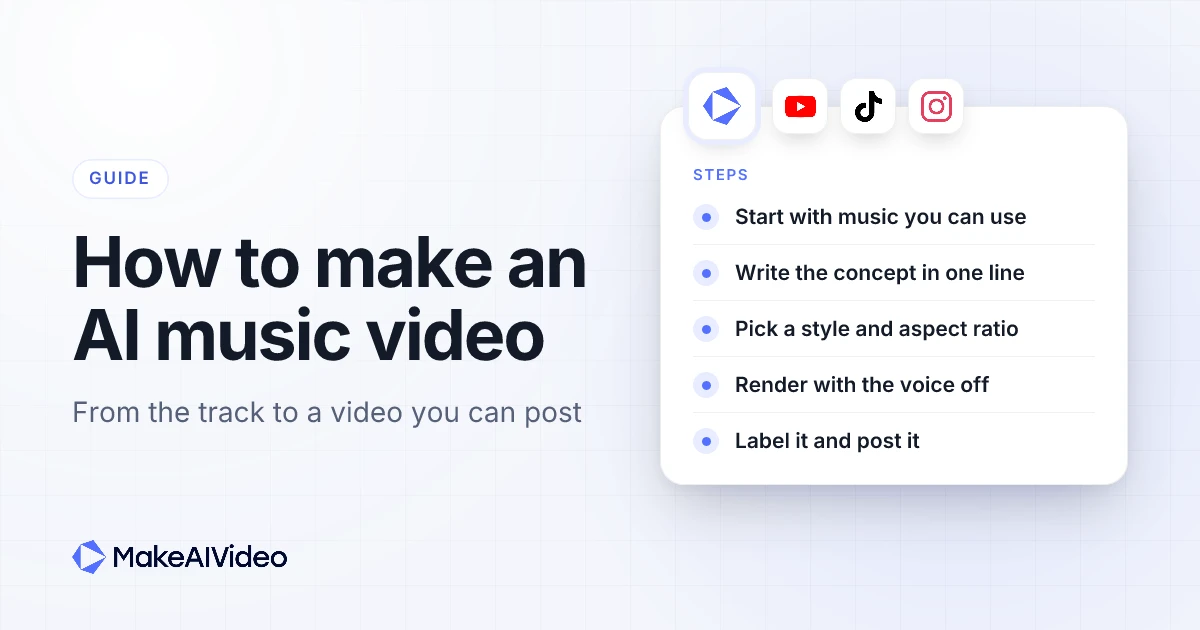
Here is how to make an AI music video: start with music you have the rights to use, write the look of the video as one line, pick a visual style that suits the genre, then let an AI video tool generate every scene with the voiceover switched off so the track is the only sound. Finish by fixing any weak scene, rendering in the aspect ratio of the platform, and turning on the AI label where the platform asks for one. The steps below follow that order, with prompts you can copy, a genre-to-style table and the rights questions that trip people up.
Written by Jamie Partridge, Founder of MakeAIVideo.
One thing to know before you start: "AI music video" covers a few different jobs. This guide is honest about which ones an AI video tool does well today, and which still need a camera, an editing app or a performer.
What counts as an AI music video?
An AI music video is a video for a piece of music where the pictures, and sometimes the music too, are generated by AI rather than filmed. In practice people mean one of four things when they search for how to make AI music videos:
| Type | What it looks like | Good for |
|---|---|---|
| Mood video or visualiser | A run of generated scenes in one look, set to the track | Releases, lo-fi and ambient channels, promo clips |
| Narrative video | Scenes that tell a loose story: a night drive, a road trip, a city waking up | Singles, pitch reels, short films |
| Performance video | A singer or band who appears to perform the song | Artist-led releases |
| Lyric video | The words on screen in time with the vocal | Streaming promo, sing-along content |
Mood and narrative videos are where AI video is strongest, because nothing on screen has to match a real person or a real lyric timing. That is the kind of video the MakeAIVideo music video generator makes: every scene AI-generated in one visual style from a one-line prompt, with a soundtrack under it and a 1080p MP4 at the end.
Performance and lyric videos are harder. A singer has to hit the words and the beat, and a lyric video needs each line timed to the vocal. MakeAIVideo does not make a performer sing your song, and it does not time lyrics to a vocal, so if that is the job you have, plan on an editing app or a shoot for that part.
What do you need before you make an AI music video?
Four decisions, made before you open any tool, save most of the wasted renders:
- The music, and your right to use it. Either a track you own or have licensed, a library track, or one you generate. More on this in the next step.
- The concept in one sentence. A place, a mood, a pace and a colour palette.
- Where it will be posted. That sets the aspect ratio and the length.
- How long it needs to be. A 15 or 30 second clip for Reels and TikTok is a different job from a full-length upload.
If you are stuck on the concept, the video idea generator turns a genre or theme into a list of specific angles you can build a prompt from.
Step 1: Start with the music you have the rights to
The music decides what you are allowed to do with the finished video, so sort it out first.
If you wrote and recorded the song yourself, you usually own both parts of it. Rights in music come in two layers, and the US Copyright Office's Circular 56A spells it out: "Sound recordings and musical compositions are considered two separate works for copyright purposes." The composition is the music and lyrics; the sound recording is a particular recorded performance. If you co-wrote the song, used a sample, or signed with a label or distributor, check who controls each layer before you post a video built on it.
If the song belongs to someone else, you need a licence for it. Uploading a video set to a commercial track without one is how videos get claimed. On YouTube, Content ID scans every upload against files that rights holders submit, and when it finds a match the owner can block the video, monetise it by running ads on it, or track its viewing figures. The visuals being AI-generated does not change that: the match is on the audio.
If you do not have a song yet, you can get one inside the video tool. On the MakeAIVideo create screen, music is opt-in: pick one of 120 library tracks across 10 moods, or choose Generate with AI and describe the track you want, at no extra cost. Library tracks are licensed for use in your videos.
A practical note on length. A track you generate with AI is 15, 30 or 60 seconds long, and the background music loops to fill the whole video. So for a generated track, match the video length to the track: a 30 second track suits a 30 second Reel. For anything longer, a library track is the better fit.
Can you use your own song?
Not inside MakeAIVideo today: there is no audio upload, so the soundtrack always comes from the library or the AI music generator. If you want visuals for a song you already released, the honest route is to make the visuals with the music switched off, download the MP4, and lay your own track under it in an editing app. The scenes will not be cut to your beat, so this suits ambient and visualiser-style videos better than tightly edited ones. Your song's rights still decide where that video can go.
Step 2: Write the concept as a one-line prompt
The prompt is the whole brief. A good music video prompt names five things, in roughly this order:
- Length and format: "a 30 second music video".
- Genre or feel of the track: "slow synth-wave", "warm acoustic folk".
- The world: a place and a time of day.
- A thread of action: one person, one journey or one change across the video.
- The look: a colour palette or a texture.
"A cool music video" gives the tool nothing to work with. This gives it a whole video:
A 30 second synth-wave music video: a lone driver on an empty coastal highway at night, neon reflections on wet tarmac, city lights fading behind, retro magenta and teal paletteKeep it to one world. Three unrelated settings in one prompt tend to produce three unrelated videos stitched together. Scenes are generated to match your idea, not cut to the beat of the track, so describe the pace you want ("slow", "drifting", "fast cuts") rather than counting bars. For more on writing tight, specific prompts, see the step-by-step guide for any AI video, and for animating a single still such as cover art, the 40 copy-paste prompts for animating a still work the same way.
Write the world, not the camera. The strongest music video prompts describe a place, a mood and a colour, then let the scenes follow. Type one line, pick a track and a style, and the whole video is generated from it. Start 7 day free trial →
Step 3: Pick a visual style that suits the genre
The visual style applies to every AI scene, so the video reads as one piece instead of a run of mismatched clips. MakeAIVideo has 15 styles. These pairings are a starting point, not a rule:
| Genre | Style to try first | Why it works |
|---|---|---|
| Synth-wave, electronic | Cyberpunk or Retro VHS | Neon, grain and night scenes suit synth-heavy tracks |
| Orchestral, singer-songwriter | Cinematic | A filmic look carries slow, emotional music |
| Character-driven pop | Anime | Stylised characters carry a simple story |
| Playful indie | Claymation | A handmade look suits light, quirky tracks |
| Brand and lookbook pieces | Cinematic or Photoreal | Clean, real-looking product and fashion scenes |
| Lo-fi and ambient | Cinematic or Retro VHS | Quiet rooms, rain and soft light loop well |
If anime is the look you want for the whole release, the anime video generator goes deeper on that style. Pick the style before you generate, since changing it means a new render.
Step 4: Set the aspect ratio and length for the platform
Each render exports in one aspect ratio, so decide where the music video lives before you make it.
| Where it goes | Aspect ratio | Length to start with |
|---|---|---|
| TikTok, Instagram Reels | 9:16 vertical | 15 to 60 seconds |
| YouTube Shorts | 9:16 vertical | under 60 seconds, up to 3 minutes allowed |
| YouTube | 16:9 widescreen | the length of the track |
| Feed posts | 1:1 square | 15 to 30 seconds |
YouTube Help says its Shorts tools make it easy to create "short-form videos that are up to 3 minutes long". For a release, a common pattern is one 16:9 video for YouTube and a short 9:16 cut for Reels and TikTok. You can switch the ratio in the editor and export again for 10 credits plus 0.3 credits a second, but scenes are framed best for the ratio you generate in.
Videos made with AI scenes can run up to 10 minutes, and most music videos land well inside that.
Step 5: Turn the voiceover off and add the track
This is the switch that makes it a music video rather than a narrated one. In MakeAIVideo:
- Start from prompt to video and paste your one-line concept.
- Set the footage to AI video and pick your visual style.
- Switch Narrate this video off. The music becomes the only audio in the video, and the AI presenter is removed with the voice.
- Under Background music, pick a library track, or choose Generate music with AI, describe the track and pick 15, 30 or 60 seconds.
- Check the estimated credit cost, then press Generate video.
Describe the generated track in the same words as the video. "Slow synth-wave, night drive, warm bass" pairs naturally with the coastal highway prompt above. With the voice off, captions start switched off too, which is what most music videos want.
A watermark-free 1080p MP4 lands in your library when the render finishes.
Step 6: Fix the scene that misses
Watch the whole render once with the sound on and once muted. Muted, you see the pictures for what they are; with sound, you notice where a scene fights the mood.
If one scene is wrong, do not regenerate the whole video. Open it in the editor and remake that one scene for about 50 credits, and the rest stays as it is. The editor also lets you swap the track for another from the library or remove the music, and turn captions on if you want text on screen.
This is also the point to cut a second version for another platform: change the ratio and export again rather than starting over.
Remake one scene, not the whole video. If a single shot breaks the mood, fix it in the editor for about 50 credits and keep everything else. See the AI music video generator →
Step 7: Label it and post it
AI music videos sit right in the area where platforms ask for disclosure, so check each one before you post.
- YouTube. YouTube's disclosure rules say "We require creators to disclose AI-generated or altered content that seems realistic." The same page lists generative AI content that "Creates music that's the main focus of the video" among the things creators must disclose, and gives "AI generated music" as an example. If the soundtrack is AI-generated, treat the label as required. It also says creators "don't need to disclose non-realistic content that's made with AI", such as a fantasy or fully animated scene.
- TikTok. TikTok's community guidelines say "we require creators to label AI-generated or significantly edited content that shows realistic-looking scenes or people", and that "Unlabeled content may be removed, restricted, or labeled by our team".
- Instagram and Facebook. Meta says it adds "AI info" labels to video, audio and image content "when we detect industry standard AI image indicators or when people disclose that they're uploading AI-generated content."
A Photoreal scene or an AI-generated soundtrack is the clearest case for a label. A claymation or anime video set to your own human-recorded song is less likely to need one, but when in doubt, label it. It costs nothing and protects the account.
You do not have to download and re-upload to every app. Post it from MakeAIVideo to TikTok, Instagram, YouTube and eight more platforms, now or at a time you pick.
Who owns an AI music video?
Ownership has two halves: the music and the pictures.
The music follows the rules in Step 1. Your own song stays yours; a licensed track is used on the licence's terms; MakeAIVideo library tracks are licensed for use in your videos.
The pictures are less settled. In the US, the Copyright Office's report on AI outputs concluded that AI-generated material "can be protected by copyright only where a human author has determined sufficient expressive elements", and that this does not cover "the mere provision of prompts", according to the Office's announcement of the report. It also says using AI to help create a work, or including AI material in a larger human work, "does not bar copyrightability".
In plain terms: a prompt alone probably does not make you the copyright owner of the generated scenes, but your own song, your edit and your creative choices still count. This is general information, not legal advice; if a release depends on it, ask a music lawyer.
None of that stops you posting or monetising the video. It matters if someone copies your visuals, or if a label or sync deal asks you to warrant that you own everything in it.
AI music video prompts to copy
Each of these is one line. Swap the parts in brackets, pair it with the style in brackets at the end, and generate.
Synth-wave night drive (Cyberpunk, 16:9)
A [60] second synth-wave music video: a lone driver on an empty highway at night, neon signs smearing past, rain on the windscreen, magenta and teal paletteLo-fi study loop (Retro VHS, 9:16)
A [30] second lo-fi music video: a desk by a rainy window, a steaming mug, pages turning in a breeze, warm lamp light, soft film grainAcoustic folk road trip (Cinematic, 16:9)
A [60] second acoustic folk music video: a camper van on a coastal road at golden hour, wild grass, a hand out of the window, warm faded coloursIndie pop character story (Anime, 9:16)
A [30] second indie pop music video: a girl on a bike racing a train through summer fields, a paper plane overhead, bright pastel skyAmbient nature piece (Cinematic, 16:9)
A [60] second ambient music video: mist rolling over a pine forest at dawn, a still lake, first light breaking through, slow and quietPlayful indie single (Claymation, 1:1)
A [30] second playful indie music video: a tiny clay musician busking on a busy toy-town street, passers-by stopping to dance, bright primary coloursElectronic club teaser (Cyberpunk, 9:16)
A [15] second electronic music video: a packed underground club, lasers cutting through smoke, a crowd of silhouettes with hands up, cold blue and violet lightIf a faceless music channel is the goal, keep the format consistent but change the world in every video. TechCrunch reported that YouTube's July 2026 update spells out "repetitive or mass-produced content" as inauthentic content that can't earn ad revenue, including uploads "with little variation from video to video." The list of YouTube automation niches is worth a read before you pick one.
How much does it cost to make an AI music video?
MakeAIVideo prices videos in credits, and the cost covers everything in the render. A music video is usually AI scenes with no voiceover, which is about 20 credits a second, so a 15 second AI music video is about 294 credits. Generating a track with AI costs nothing extra, and the app shows the exact cost before you press Generate.
| Action | About |
|---|---|
| AI music video, voice off, per second | 20 credits |
| AI music video, voice off, 15 seconds | 294 credits |
| Remake one scene in the editor | 50 credits |
| Export again in another ratio | 10 credits plus 0.3 a second |
| Generate a track with AI | no extra cost |
Plans run from $9 to $49 a month, and every plan starts with a 7-day free trial. Plan credits reset each month, and credits you buy as a top-up never expire. See plans and credits for each plan.
Price it before you make it. The credit cost shows before Generate, so you can shorten the video or test a 15 second cut first. Plans start at $9 a month. Start 7 day free trial →
Mistakes that sink an AI music video
- Using a song you do not have the rights to. Content ID matches the audio, whatever the visuals are.
- A vague prompt. "A cool music video" produces generic scenes. Name the place, the mood and the colour.
- Three worlds in one video. One setting with one thread of action holds together; a montage of unrelated ideas does not.
- A style that fights the track. Bright claymation under a slow ballad reads as a joke. Match the style to the genre.
- A generated track shorter than the video. It loops to fill the length, so keep the video to the track, or pick a library track.
- The wrong ratio. A 16:9 video posted to TikTok plays as a small strip. Render for the platform, or make the TikTok cut in 9:16.
- No AI label. AI-generated music as the main focus of a YouTube video needs disclosure, and TikTok may remove or restrict unlabelled realistic content.
- Posting once and stopping. Buffer's study of more than 100,000 users found that "highly consistent posters saw more than 5 times the engagement per post compared to those who posted sporadically." A release campaign of several short cuts beats one upload.
Frequently asked questions
How do you make an AI music video?
Pick music you have the rights to use, write the concept as one line, choose a visual style and aspect ratio, and generate the scenes with the voiceover off. Then fix any weak scene, label the AI content and post it.
Can AI make a music video from my own song?
Not in MakeAIVideo today, because there is no audio upload. You can make the visuals with music off and add your song in an editing app, but the scenes will not be cut to your beat.
Can I make an AI lyric video?
Not with timed lyrics in MakeAIVideo. It does not sync words to a vocal. For a lyric video you need an editing app that lets you place each line against the song's timing.
How long can an AI music video be?
Up to 10 minutes for videos made with AI scenes in MakeAIVideo. Most music videos run 2 to 4 minutes, and short cuts for Reels or TikTok are 15 to 60 seconds.
Do I need to label an AI music video on YouTube?
Usually yes. YouTube requires disclosure of realistic AI content and lists AI-generated music that is the main focus of a video as something creators must disclose.
Who owns the copyright in an AI music video?
Your song stays yours, and licensed tracks follow their licence. In the US, AI-generated visuals made from prompts alone are unlikely to be protected by copyright, though your own creative choices and edits can be.
How much does an AI music video cost to make?
In MakeAIVideo, an AI music video with the voice off is about 20 credits a second, so 15 seconds is about 294 credits. Plans start at $9 a month with a 7-day free trial.

Written by Jamie Partridge
Founder at MakeAIVideo. Writing about AI video generation, scripting, scenes, and shipping content faster.