
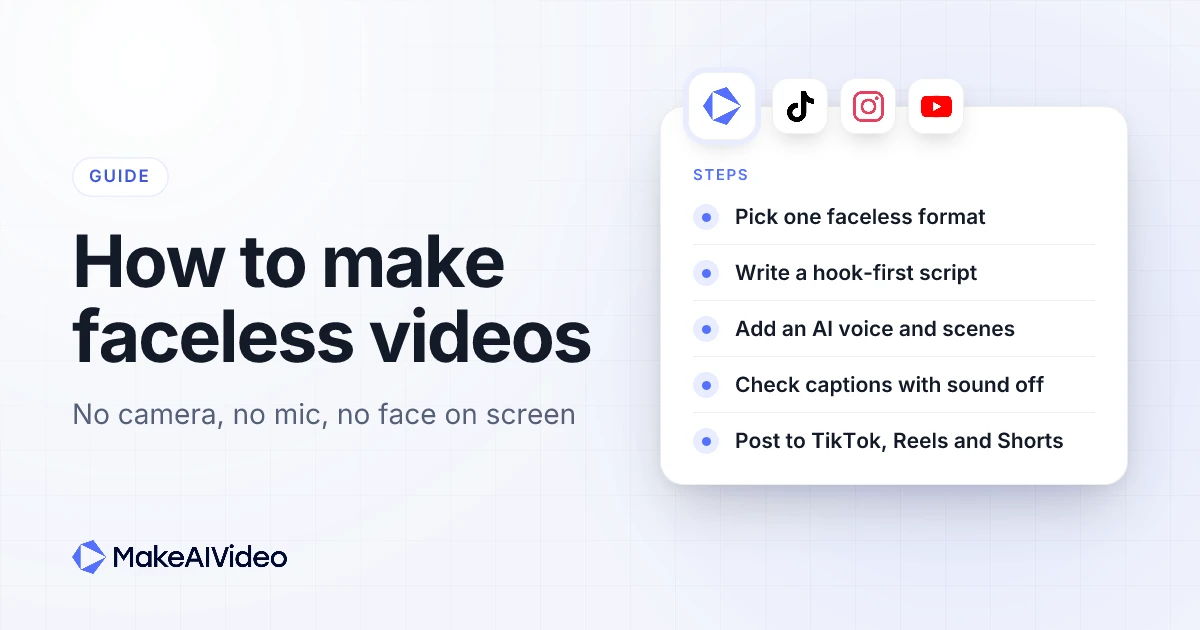
Here is how to make faceless videos with AI: pick a format that does not need your face (a narrator over stock footage, AI scenes, an AI presenter or a character in your place), write a short script that opens on a hook, then let an AI video tool add the voiceover, the scenes and the captions and render it in 9:16 for TikTok, Instagram Reels and YouTube Shorts. You need no camera, no microphone and no editing timeline.
The tool does the production. What decides whether faceless videos get watched is a repeatable format, ideas people already search for, a first line that stops the scroll, and enough variety that platforms treat each video as original. This guide covers the five faceless formats that work on short-form platforms, a seven-step workflow, 12 faceless video ideas with copy-paste prompts, what each platform expects, and what it costs in MakeAIVideo.
If you want to build a whole YouTube channel rather than post across short-form apps, start with our guide to launching a channel with no face on camera instead. This post is about faceless content for every vertical feed.
Written by Jamie Partridge, Founder of MakeAIVideo.
What is a faceless video?
A faceless video is a video in which the creator never appears on camera. The script, the voice and the visuals carry it instead: a narrator over footage, text on screen, animation, or a presenter who is not the creator. It is how a large share of explainer, history, finance, motivation and story content is made, on every platform.
People make faceless content for privacy, to post for a brand rather than as themselves, or to avoid filming every day. A faceless format also scales: once it is fixed, each new video is a new script, not a new shoot.
What a faceless video is not is a re-upload of someone else's clips. Every major platform separates original faceless content from reposted material, and that line matters more than whether a face appears. More on that in the rules section below.
Which faceless video formats work best?
There are five faceless formats worth knowing. Most accounts pick one and stick with it, because a consistent format is what makes an account recognisable without a face.
| Format | What the viewer sees | Best for | About, per 30 seconds |
|---|---|---|---|
| Narration over stock footage | Real footage matched to each line, with an AI narrator | Explainers, finance, history, how-to | 112 credits |
| Narration over AI scenes | Generated scenes in one visual style, such as cinematic or anime | Stories, mysteries, topics no stock library covers | 612 credits |
| AI presenter | A talking presenter who is not you, lip-synced to the script | Tips, news, product explainers | 584 credits |
| Character swap | Your own performance, with a different character in your place | Skits, reactions, creators who want to act but stay anonymous | 223 credits for 10 seconds |
| Animated photo | One still image brought to life as a 5 or 10 second clip | Product shots, quotes over imagery, hooks | 163 credits for 10 seconds |
The credit figures are the costs MakeAIVideo quotes in the app, which always shows the exact cost before you press Generate.
Narration over stock footage is the default for most faceless accounts and the cheapest to run, at about 4 credits a second against about 22 for AI-generated scenes. AI scenes earn their cost when the topic has no footage: a Roman legion on the march, a deep-sea creature, a story set in a world that does not exist. MakeAIVideo has 15 visual styles, from documentary to claymation, and applies one across every scene so the video looks like one piece.
An AI presenter is the faceless option that still has a face. An AI presenter that reads your script speaks to camera with lip sync and captions, and you can make the same presenter appear in every video. Character swap is for people who want to perform: film a 3 to 60 second clip yourself and MakeAIVideo swaps you for a different character, keeping your movement, the background and your original audio. Use footage you own or have rights to.
How to make faceless videos with AI, step by step
This seven-step workflow holds up across TikTok, Reels and Shorts. It assumes MakeAIVideo, but the order of the steps works whatever you use.
Step 1: Pick one platform, one format and one niche
Start where your audience already watches, and pick one format from the table above. Faceless accounts that change format every week never build a look people recognise. Vertical 9:16 is the shape for all three short-form feeds, and MakeAIVideo renders one aspect ratio per render, so choose 9:16 before you generate. If you later want a 16:9 version for YouTube long-form, switch the ratio in the editor and export again.
For the niche, choose something narrow enough that you could list 50 video topics tonight. "Personal finance for nurses" gives you more to say than "money". If you are stuck, a free angle finder turns a broad niche into specific angles.
Step 2: Collect faceless video ideas people already watch
Look at the most-watched faceless content in your niche, the questions in the comments, and the suggestions that appear when you type a topic into the platform's search bar. Write 20 ideas before you make the first video. Each one should be a specific question or claim, not a topic: "why airline seats are blue" beats "a video about planes".
Step 3: Write a hook-first script to length
A faceless video has no face to hold attention in the first seconds, so the opening line does all the work. Write the hook as its own line: a question the video answers, a mistake the viewer is making, or a result they want. Skip greetings and "in this video". Lines like these work as a hook and as the first on-screen caption:
"You've been loading your dishwasher wrong, and it's costing you money."
"This is the only planet where the sun rises in the west."
"Three words that make any email sound more confident."
A hook drafting tool gives you several openings to choose from. Then write the body to length. Narration runs at about 150 words a minute, so a 30 second faceless video is about 75 words and a 60 second one about 150. A quick check with a word-count timer stops a "60 second" script turning into 90.
Our guide to writing an AI video script has templates for each length. Or skip the writing: type one line into MakeAIVideo and it writes a paced, hook-first script for you.
Step 4: Choose the voice and the visuals
Pick one narrator and keep them. On a faceless account, the voice is the identity, and switching narrators every video makes the account sound like a tool's output. MakeAIVideo has a curated library of AI narrators, and the script, voice and captions can be in any of 24 languages, which makes the same idea reusable for a Spanish or Portuguese account.
Then choose the visuals: stock footage matched line by line, or AI scenes in one visual style. If a line needs a specific shot, say what should be on screen in the script: "a close-up of coins stacking on a desk" steers a scene better than "money".
Step 5: Generate the video with captions and music
This is the one-click part. In MakeAIVideo's one-line mode, type a single line with the topic, the angle and the length and MakeAIVideo writes the script, records the voiceover, builds a scene for every line, burns in word-by-word captions timed to the voice and renders a watermark-free 1080p MP4, usually in a few minutes. If your script is already written, paste it into the paste-your-own-script mode and it is read exactly as written, never rewritten.
Captions matter more on faceless videos than anywhere else, because many people scroll with the sound off and there is no face to read. Music is optional: pick a track and it ducks under the narration.
Step 6: Review it in the editor before you post
Watch every render once with the sound off. If the captions do not carry the point on their own, fix them. In the editor you can regenerate a single weak scene, swap the voice, or correct a caption word without remaking the whole video.
Step 7: Post on a schedule you can keep
Consistency beats volume. Buffer's study of more than 100,000 users found that "the highly consistent posters saw more than 5 times the engagement per post compared to those who posted sporadically." Pick a pace you can hold for months, such as three videos a week, and batch the work: scripts on one day, renders the next, scheduling after that.
You can post faceless videos straight from MakeAIVideo to TikTok, to Instagram as a Reel and to YouTube as a Short, plus eight more platforms, now or on a schedule. Tick several accounts in one post dialog and the same 9:16 file goes to each, with a caption you can adjust for each platform's limit.
One line in, a finished faceless video out. Type a topic, pick a narrator and 9:16, and MakeAIVideo writes the script, voices it, builds the scenes and times the captions. Every plan starts with a 7-day free trial. Start 7 day free trial →
Faceless video ideas you can make this week
These 12 faceless content ideas work on TikTok, Reels and Shorts. Each comes with a prompt you can paste into prompt to video as it is, or adapt to your niche.
1. One-question explainers. A single "why" answered in 30 seconds.
A 30 second explainer on why airplane windows are round, opening with the question, stock footage, calm narrator2. Myth versus fact. Open on the myth, then correct it.
A 45 second video busting the myth that we only use 10 percent of our brains, hook on the myth first, documentary style3. History in 60 seconds. One event, told as a story.
A 60 second story about the night the Titanic's radio operator sent the last message, mid-story opening, cinematic AI scenes4. Money tips. One specific, practical habit per video.
A 30 second tip on the 24 hour rule for impulse purchases, open with a relatable mistake, stock footage, friendly narrator5. Numbered lists. Three items, each with its own scene.
A 45 second video: three habits that make mornings easier, numbered on screen, upbeat narrator, stock footage6. Short scary or mystery stories. A strong fit for AI scenes, since there is no footage of the event.
A 60 second unsolved mystery about the lighthouse keepers who vanished from the Flannan Isles, slow narrator, documentary style7. Space and science facts.
A 30 second video on why astronauts grow taller in orbit, open on the surprising fact, cinematic space scenes8. Motivational micro-essays. One idea, one steady voice, cinematic footage.
A 40 second motivational piece on why small daily progress beats big bursts, slow calm narrator, sunrise and running footage9. How-to in three steps.
A 45 second how-to on cleaning a cast iron pan in three steps, numbered captions, clear narrator, stock footage10. Book or film summaries in your own words. Summarise the idea, never reuse clips from the work itself.
A 60 second summary of the main idea of habit stacking, in my own words, with practical examples, stock footage11. Animal facts.
A 30 second video on how octopuses change colour, open with a question, nature footage, curious narrator12. Product explainers for your own brand. A faceless way to show what you sell, with the product shot animated with photo animation.
For more angles on long-form channels, see this list of 47 channel niches ranked by RPM.
How to make faceless TikTok videos
To make faceless TikTok videos, render in 9:16, keep the first cut between 15 and 60 seconds, and put the hook on screen as a caption from the first frame. Narration over stock footage, AI scenes, a talking avatar and character swap all suit TikTok, and character swap is the format closest to TikTok's skit culture without showing your face.
TikTok asks for a label on realistic AI content. Its community guidelines say "we require creators to label AI-generated or significantly edited content that shows realistic-looking scenes or people." A photoreal AI presenter counts. A claymation explainer usually does not. When in doubt, turn on the AI-generated content setting when you post.
Our vertical TikTok maker is set up for the format, and a free drafter for TikTok hooks and lines helps if you want to write first. For TikTok habits beyond the faceless angle, see making TikTok videos with AI.
How to make faceless Instagram Reels
Faceless Instagram content works the same way in 9:16, with two differences. Reels are often watched in a feed of friends' content, so a clean, consistent visual style matters, and captions carry more of the work because many people scroll muted. Keep anything important in the centre of the frame, where the caption and buttons do not cover it.
Instagram now recommends longer Reels to new viewers. Its creators blog says "reels up to 3 minutes will be eligible to be seen by non-followers in places like the Reels tab and Explore" (Instagram for Creators).
Originality matters on Meta's apps. Meta's transparency centre lists "limited originality content that is principally repurposed from other sources" among the content it disincentivises in its section on lowering the distribution of problematic content. Faceless is fine; reposted is not. Posting directly from MakeAIVideo also means the Reel never carries another app's watermark. The Instagram Reels generator covers the format in detail.
Faceless YouTube Shorts
YouTube Shorts are 9:16 too, and YouTube's help centre says its Shorts tools let you create "short-form videos that are up to 3 minutes long". The same vertical faceless video you make for TikTok can go up as a Short. The Shorts generator is built for that feed, and the same render posts to YouTube as a Short from the post dialog.
If YouTube is your main platform rather than one of several, the long-form channel is a different project, with its own Partner Program thresholds and watch-time maths. That is covered on the faceless YouTube channel page and in the walkthrough for creating a faceless YouTube channel.
What does a faceless video generator do?
A faceless video generator takes a topic or a script and returns a finished video with no person filmed: script, AI voiceover, visuals, captions and music, rendered as one file. The difference between tools is how much of that chain they cover. Some give you a few seconds of generated footage and stop; some read a script aloud and leave the visuals to you. Either way you end up stitching.
MakeAIVideo covers the whole chain in one render, then gives you an editor on top. A few practical limits to know before you start: each render is one aspect ratio, footage comes from the stock library or AI scenes rather than your own clips, and there is no end card or automatic ad variants. Videos can run up to 10 minutes.
What faceless videos cost to make
| Faceless video | About |
|---|---|
| 30 seconds, stock footage | 112 credits |
| 60 seconds, stock footage | 184 credits |
| 15 seconds, AI scenes | 324 credits |
| 30 seconds, AI scenes | 612 credits |
| 30 seconds, talking avatar | 584 credits |
| 10 seconds, animated photo | 163 credits |
Plans run from $9 to $49 a month and every plan starts with a 7-day free trial. Plan credits reset each month, and credits you buy as a top-up never expire. A useful habit for faceless accounts: test a new idea as a stock-footage version first, then spend AI scene credits on the ideas that hold viewers. The pricing page has each plan's credits and every tool's costs.
Price a faceless video before you make it. The app shows the credit cost before Generate, so you can trim the script or switch to stock footage first. Plans start at $9 a month. Start 7 day free trial →
Are faceless videos allowed to make money?
Yes, when each video is your own work. The rules on every major platform target repetition and reposting, not the absence of a face.
YouTube. YouTube's channel monetization policies say content must "not be mass-produced, generic, repetitive, or manipulative", and that "channels where content feels interchangeable from video to video are not allowed to monetize." TechCrunch reported the July 2025 update as one "designed to better identify when content is mass-produced or repetitive." Search Engine Journal's summary notes that "using the same intro and outro is fine as long as the body of each video is different" and that "using AI to help make videos is still fine."
AI labels. YouTube says "we require creators to disclose AI-generated or altered content that seems realistic", while non-realistic AI content and AI help with a script do not need a label. Meta says it will "still display the 'AI info' label for content we detect was generated by an AI tool" on Facebook, Instagram and Threads. TikTok's rule is quoted in the TikTok section above.
In practice: keep one format, but make every script say something new, add your own angle or research, label realistic AI content, and never build an account from other people's clips. How YouTube automation channels scale covers running a repeatable format without falling into the repetition trap.
Mistakes that sink faceless videos
These come from making and watching faceless content, not from platform rules, and all of them are fixable.
- A slow first line. With no face to hold attention, a greeting is a reason to swipe. Open with the most interesting sentence.
- A different narrator every video. The voice is the account's identity. Pick one and keep it.
- Captions nobody checked. A misread word looks careless. Watch once muted before posting.
- The same script with the nouns swapped. It reads as a template to viewers and to the platforms.
- Reposted clips. A faceless account built on other people's footage is the kind of content platforms limit.
- Judging the account on ten videos. Change the hook before you change the niche, and give a format dozens of posts.
For the full workflow beyond faceless formats, including talking presenters and UGC-style ads, see how to make AI videos.
Frequently asked questions
How do I make faceless videos for free?
You can start with MakeAIVideo's 7-day free trial on any plan, which lets you make and download faceless videos before you pay. After the trial, plans start at $9 a month.
What is the easiest faceless video format for beginners?
Narration over stock footage is the easiest and cheapest format. You write or generate a script, an AI narrator reads it, and each line is matched to real footage, at about 112 credits for 30 seconds.
Can I make faceless videos without recording my voice?
Yes. An AI narrator reads the script, so you never record audio. Pick one voice from the library and keep it across videos so the account sounds consistent, in any of 24 languages.
How long should a faceless video be?
Start at 15 to 60 seconds on TikTok, Reels and Shorts. About 75 words of script makes 30 seconds and about 150 words makes 60 seconds. Go longer only when retention shows viewers stay.
Do faceless videos need an AI label?
Only realistic ones. YouTube, TikTok and Meta all ask for labels on realistic AI content, such as a photoreal presenter or a realistic scene that did not happen. Clearly animated or stylised videos, and AI help with the script, generally need no label.
Can faceless videos make money?
Yes, through platform payouts, sponsorships, affiliate links or your own products, as long as each video is original. Platforms limit mass-produced, repetitive or reposted content, not videos without a face.
Can I post the same faceless video to TikTok, Reels and Shorts?
Yes. Render it in 9:16 and post the same file to all three from MakeAIVideo's post dialog, with a caption adjusted for each platform. Posting the clean file, rather than a download from another app, keeps it free of other watermarks.

Written by Jamie Partridge
Founder at MakeAIVideo. Writing about AI video generation, scripting, scenes, and shipping content faster.