
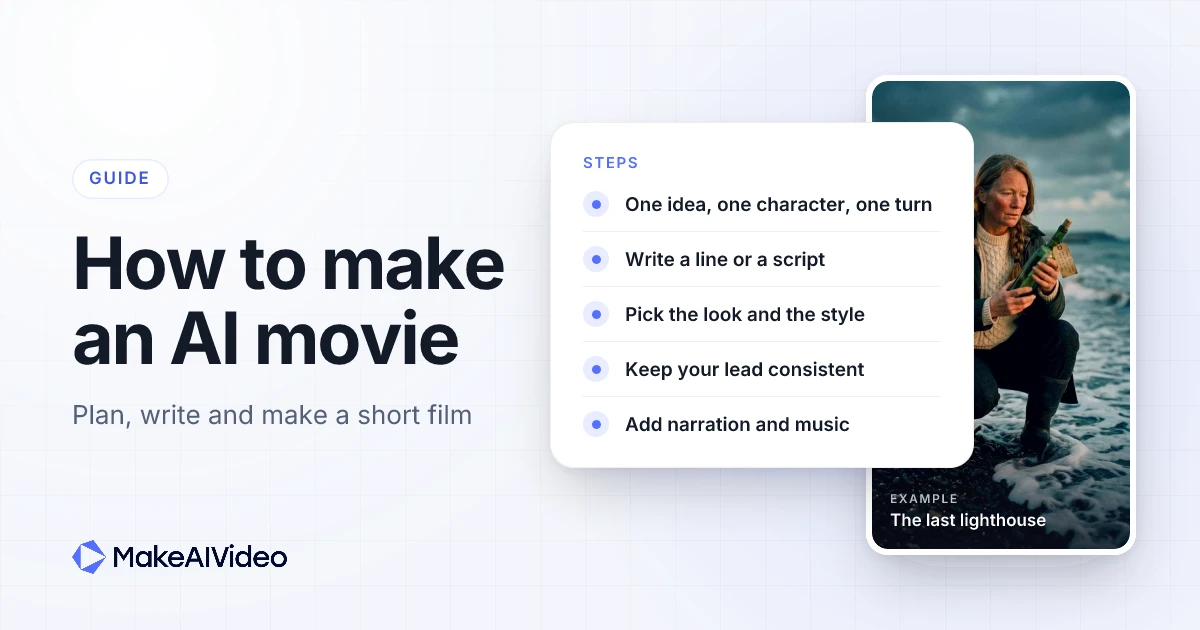
To make an AI movie, start with one idea that has one character and one turn, write it as a single line or a short script, pick a look and a visual style, then let an AI tool build the scenes, the narration and the music while it keeps your character the same from scene to scene. Start short. A 15 or 30 second film teaches you more than a ten minute one you never finish, and once the character and the style feel right you can go longer in chapters.
This guide covers how to make a movie with AI from the first idea to the posted film: planning a short film, writing the idea or the AI movie script, choosing a look, keeping a character consistent, picking the length and the shape, voices and music, labelling AI content, the mistakes that sink most first films, and how to build a longer film chapter by chapter. Every step uses MakeAIVideo's AI Movie Maker as the worked example, with a real film we made, its settings and what it cost.
Written by Jamie Partridge, Founder of MakeAIVideo.
What is an AI movie, and what can you make today?
An AI movie (or AI film) is a story where the pictures, and often the voice and music, are generated by AI from words you write. Today that mostly means the AI short film: 15 seconds to a few minutes, told by a narrator over a run of scenes, built around one character. That is the format this guide is about, because it is the one you can actually finish and post this week.
It helps to be clear about what a short film is. The Academy's rules for its animated short award say that "an animated short film has a running time of 40 minutes or less". Online, AI short films are much shorter than that. Most people watch them in a feed, so 15 seconds to a few minutes is the realistic range.
Here is what you need to make one:
- One idea. A sentence with a character, a place and something that changes.
- A tool that does the whole film in one pass. Writing the scenes, keeping the character consistent, narrating and adding music, so you are not stitching five apps together. The general version of that workflow is in our guide to making AI videos.
- A decision about where it will be watched. That sets the aspect ratio and the length.
You do not need a camera, actors, an editing timeline or a storyboard.
How to make an AI movie in 7 steps
The short version, before each step in detail:
| Step | What you decide | Rule of thumb |
|---|---|---|
| 1. Plan | The idea | One character, one place, one turn |
| 2. Write | One line or a script | One line to explore, a script when the words matter |
| 3. Look | Full motion or Cinematic stills, plus a style | Stills for narrated stories, Full motion when movement is the point |
| 4. Character | How your lead looks | Describe them the same way every time |
| 5. Length and shape | Seconds and aspect ratio | Start at 15 or 30 seconds, ratio set by the platform |
| 6. Sound | Narration, spoken lines, music | Let the narrator carry it, keep dialogue short |
| 7. Post | Labels and platform | Disclose realistic AI content |
Step 1: Plan a short film with one idea, one character and one turn
Most first AI films fail before a single scene is made, because the idea is too big. "A war between two kingdoms" is a setting, not a short film. A short film needs three things:
- One character the viewer follows from the first scene to the last.
- One place, or two at most. Every new location is a new scene the viewer has to orient in.
- One turn. Something changes, and the ending lands on it. A 15 second film has room for one surprise, not three.
A useful test is to write your film as a single sentence in the shape "a [character] in [a place] [does or finds something], and [the turn]". If you cannot, the idea is not ready. Here is the sentence behind our example film:
"A lighthouse keeper on a remote island finds a bottle on the shore with her name on it, and the letter inside is dated tomorrow."
That sentence gives you the character (the keeper), the place (the island and its shore), the action (finding the bottle) and the turn (the date). Everything else is detail the tool can fill in.
If you are stuck for ideas, the copyable list further down is a start, and the niche finder for faceless channels helps if you want a whole series rather than one film.
Step 2: Write the idea or the AI movie script
You can start a film from one line or from a full script. Both work when you make the film from an idea or a script: type a one-line idea and the story, the scenes and the narration are written from it, or paste a script you have already written.
One line or a full script?
Use one line when you are exploring. It is the fastest way to see whether an idea works on screen. If the result is close but not right, change the line and make it again.
Use a script when the words matter: a line of narration you want said exactly, a character's spoken line, or an ending that has to land word for word. For narration read word for word over a longer video rather than a film, a tool built for reading your script word for word is the closer fit.
How to write a script for an AI short film
An AI movie script is shorter than a screenplay. You are not directing cameras, you are telling a story out loud. These habits make the biggest difference:
- Write what happens and how it feels, not the shot list. "She opens the bottle and reads her own handwriting" does more than "close-up, rack focus, slow push in".
- One beat per sentence. Each sentence of narration tends to become a moment on screen, so a sentence that tries to do three things gives you a muddled scene.
- Keep spoken lines short. Characters can speak, so give them a line or two where it matters. A short line lands. A speech drags.
- Fit the words to the length. Narration is spoken at a normal pace, so a 15 second film only holds a few short sentences. You can check how long your script runs before you make anything.
- End on the turn. The last line is the one people remember. Do not explain it.
For a full template with a hook, body and ending, see how to write a video script.
Start with one line. Type a one-line idea or paste your script, and the film comes back with scenes, narration, a consistent lead and music. Start 7 day free trial →
Step 3: Choose a look for your AI film
The look decides how the scenes move, and it is the biggest lever on cost. MakeAIVideo offers two:
| Look | What you get | Cost | Best for |
|---|---|---|---|
| Full motion | Every scene is a moving AI clip | About 297 credits for 15 seconds | Action, character moments, scenes where movement is the point |
| Cinematic stills | Cinematic images with camera movement | About 148 credits for 30 seconds | Narrated stories, history, fables, anything the voice carries |
The app shows the exact cost before you press Make, so you can change the length or the look before you spend anything.
A good default: make narrated stories in Cinematic stills and save Full motion for films where something has to visibly move, such as a chase, a dance or a door swinging open. Cinematic stills are far cheaper per second, which makes them the sensible way to test an idea or make a longer short film.
Then pick a visual style. Cinematic and Photoreal suit drama and mystery. Anime gives a story the feel of an animated series, and if anime is your main format, our anime video tool goes further. Claymation suits warm, funny or slightly odd stories, and Watercolor suits fables, childhood memories and quiet endings. Choose the style for the story's mood, not for novelty.
Finally, the quality picker offers Fast or Best. Fast is for checking that an idea works. Best is for the version you post.
Step 4: Keep the character consistent across scenes
Nothing breaks an AI film faster than a lead who looks like a different person in every scene. AI Movie Maker keeps a recurring character consistent across the scenes of a film, and you can help it:
- Describe your lead the same way every time. Age, hair, clothes and one detail people will remember, such as a long braid, a scar or a pair of round glasses. If your script calls her "Mara, a keeper with a long braid and a dark wax jacket" once, do not call her "the woman in the red coat" later.
- Build the film around one main character. The recurring character is the one the film keeps consistent, so give the story one clear lead and keep everyone else in the background.
- Give the lead something to do with their hands. A bottle, a lantern, a letter. A prop that carries through the scenes ties them together as much as the face does.
- Plan a series around the same lead. Put one character into a new story each week and describe them with the same words each time.
Step 5: Set the length and the shape
How long should an AI short film be?
AI Movie Maker offers eight lengths: 15 seconds, 30 seconds, 1 minute, 90 seconds, then 3, 5, 10 and 20 minutes. For a first film, pick 15 or 30 seconds:
- 15 seconds: one scene setup and one turn. Our example is this length.
- 30 seconds to 1 minute: setup, a middle beat and a turn. The sweet spot for TikTok, Reels and Shorts stories.
- 90 seconds and up: room for a second location or a short exchange of dialogue. Worth it once you know the character and style work.
Longer films of 3 to 20 minutes on any paid plan (credits apply). On the free trial, plan the whole film and make the first chapter. More on that in the chapters section below.
Which aspect ratio?
Choose the shape for where people will watch, before you make the film, rather than cropping afterwards. Films come in 9:16, 16:9 or 1:1, exported in 1080p.
- 9:16 vertical for TikTok, Reels and Shorts. Sprout Social's video specs guide lists 9:16 for TikTok in-feed video.
- 16:9 widescreen for YouTube and anything watched on a TV or laptop. The same guide gives 16:9 as YouTube's default.
- 1:1 square for feeds where a square post takes up more room.
Every size, frame rate and length limit for each platform is in our AI video specs guide.
Step 6: Add voices and music
Sound does more for an AI film than most people expect. A plain scene with good narration feels like a film. A beautiful scene in silence feels like a screensaver.
- Narration. The film is narrated, so the narrator carries the story. Write narration that tells the viewer what they cannot see: what the character is thinking, what the date on the letter means.
- Characters who speak. Write a short line for a character and they can say it on screen. Use it for the one line that matters most. There is no lip-sync guarantee, so a mouth may not match every word exactly. Lines that work over a reaction or a wide shot are safer than long close-up dialogue.
- Music. A track runs under the whole film. You cannot upload your own song, so if a specific track matters, make the film and add your music in an editing app afterwards.
- Captions if you want them. Captions are off by default in the movie maker. Turn them on for films people will watch in a feed with the sound off.
There is no voice cloning, so the narrator and the characters use AI voices rather than your own.
Step 7: Label AI content when you post
Most big platforms now ask creators to say when realistic content was made with AI. The rules differ, and they are worth reading before you post:
- YouTube. YouTube Help says "we require creators to disclose AI-generated or altered content that seems realistic". It also says creators "don't need to disclose non-realistic content that's made with AI". An Anime or Claymation fable is usually fine unlabelled, while a Photoreal film of realistic people should be disclosed.
- TikTok. The TikTok Community Guidelines require creators "to label AI-generated or significantly edited content that shows realistic-looking scenes or people", and say unlabelled content may be removed, restricted or labelled by TikTok.
- Instagram and Facebook. Meta adds "AI info" labels when it detects industry-standard AI indicators or when people disclose that they are uploading AI-generated content.
The simple rule: if a viewer could mistake your film for real footage of real people or events, label it. It costs nothing, and it keeps the post up.
Make the film for the platform. Pick 9:16, 16:9 or 1:1 before you generate, and the scenes are framed for it from the start. See how AI Movie Maker works →
Example: how we made "The last lighthouse"
To show what one idea becomes, here is a real film made with the live tool. It is the unedited output, started from the tool's own "The last lighthouse" starter idea. Watch the film before you read on. It is 15 seconds.
The story. Mara, a lighthouse keeper on a remote island, watches the sea at dusk, finds a bottle on the shore with her name on it, and reads a letter inside dated tomorrow. One recurring character across three scenes, with film-style narration and music.
The settings:
| Setting | Choice |
|---|---|
| Look | Full motion |
| Length | 15 seconds |
| Aspect ratio | 9:16, exported in 1080p |
| Quality | Best |
| Voice | Narrator |
| Captions | Off |
| Cost | 297 credits, shown before Make |
Why it works, in terms of the steps above:
- One idea, one character, one turn. The keeper, the island, and a letter dated tomorrow. Nothing else competes for attention.
- The turn comes last. The film ends on the date, and does not explain it. That unanswered question is what makes people watch it twice.
- Three scenes for 15 seconds. Dusk, the shore, the letter. Each scene does one job.
- The same lead throughout. Mara is recognisably the same person in all three scenes.
If we made a 30 second version, Cinematic stills would cost about half as many credits as this 15 second Full motion cut, with the narrator carrying the extra beats.
AI short film ideas to copy
Each of these is written as a strong one-line idea, with one character, one place and one turn. Copy one into the idea box as it is, or change the character to make it yours.
A night-shift engineer alone on a silent space station hears someone knock on the outside of the hull.Suits Cinematic or Photoreal, in Full motion for the moment she turns to the hatch.
An old clockmaker repairs a pocket watch that runs backwards, and every tick gives him back a memory he had lost.Suits Cinematic stills in Watercolor, with the narrator carrying the memories.
A girl in a flooded city rows to school every morning, until the day the water starts to fall.Suits Anime, 30 seconds to 1 minute in 9:16.
A retired robot gardener tends the last rose on an empty rooftop, waiting for the person who planted it to come back.Suits Claymation, Cinematic stills, with one spoken line at the end.
A detective in a rain-soaked city realises the witness she is questioning is herself, twenty years older.Suits Cinematic or Photoreal. Label it if it looks real.
A fox in a snowy forest follows a trail of paper lanterns to a door that only opens at midnight.Suits Watercolor or Claymation, a quiet 30 second fable.
For more ways to turn a one-line idea into a video, see the general one-line prompt tool, which AI Movie Maker is a cinematic preset of.
How to make a longer AI movie in chapters
Once a short version works, you can go longer. Long films are told in chapters:
- Plan the whole film. You get an outline and a script for each chapter. Planning is free: the outline and the chapter scripts cost nothing, and credits go on the images and the video.
- Read the plan before you make anything. This is the cheapest place to fix the story. If chapter three wanders, change it now.
- Make the chapters. Long films are mostly cinematic stills with motion, with moving clips at key moments, which keeps the cost of a long film reasonable.
The lengths for long films are 3, 5, 10 and 20 minutes. Longer films of 3 to 20 minutes on any paid plan (credits apply). On the free trial, plan the whole film and make the first chapter. That is a good way to judge whether the story holds up before you commit credits to the rest.
Chapters suit stories with a natural sequence: a myth told in parts, a history, a mystery that unfolds over several days. Narrated, chapter-based films are also the backbone of many narrated channels that never show a face, and our guide to faceless videos covers how to post them.
Plan the full film for free. Outline a 3 to 20 minute film chapter by chapter, read it, then spend credits only on the chapters you make. Plan your long film →
How much does it cost to make an AI movie?
MakeAIVideo prices films in credits, and the app shows the cost before you press Make. Two real reference points:
| Film | Credits |
|---|---|
| Full motion, 15 seconds | About 297 |
| Cinematic stills, 30 seconds | About 148 |
New customers start with the 7-day free trial, which comes with 350 credits. The trial covers a short film: about 30 seconds in the Cinematic stills look, or about 15 seconds of Full motion video.
After the trial, plans run from $9 a month for Lite (600 credits) to $49 a month for Pro (3,000 credits). Plan credits reset each month. See plans and credits for every plan.
Limits to know before you start
Setting expectations saves you credits. Today there is:
- No voice cloning. Narration and dialogue use AI voices.
- No uploading your own footage or song. The film is made from your idea or script.
- No lip-sync guarantee. Characters can speak, but mouths may not match every word.
- No storyboard editor. You steer the film through the idea or the script, then make it again to change it.
- No trailer template. You can still write a script like a trailer, with short scenes and a closing line.
Common mistakes when you make a short film with AI
- Too many characters. The film keeps one recurring character consistent. A cast of five gives you five strangers.
- Too many twists. One turn per short film. Save the rest for the next one.
- Directing the camera instead of telling the story. Shot lists confuse the scene. Say what happens and how it feels.
- Starting long. A first film at 10 minutes costs more and teaches you less than three 15 second tests.
- Full motion for everything. Narrated stories rarely need it. Cinematic stills cost far less per second and the voice does the work.
- Cropping after the fact. Pick 9:16, 16:9 or 1:1 before you generate.
- Long dialogue. Speeches drag, and long close-up lines are where lip movement shows most. Give characters one short line.
- Posting the same film over and over. In July 2025, TechCrunch reported that YouTube was updating its Partner Program policy to target "inauthentic" content, including mass-produced and repetitive videos. A series works when each film is a new story, not the same one reworded.
- Not labelling realistic films. If it could pass for real footage, disclose it.
Who owns an AI movie?
In the US, the Copyright Office's report on AI and copyrightability says AI output can be protected "only where a human author has determined sufficient expressive elements", and that this does not include "the mere provision of prompts". Your own writing, such as a script you wrote yourself, and your creative choices about how the pieces are arranged count for more than a one-line prompt. Rules differ by country, so check locally if ownership matters for a commercial project.
Frequently asked questions
How do you make an AI movie?
Write one idea with one character and one turn, as a single line or a short script. Pick a look and a visual style, set the length and aspect ratio, then generate. The tool makes the scenes, narration and music and keeps your lead consistent.
Can you make a full movie with AI?
You can make a short film, and longer films of 3 to 20 minutes told in chapters on any paid plan. A feature-length movie is still beyond what one tool makes well in one go, so most AI films people post are short.
How long does it take to make an AI short film?
Writing the idea is the slow part. Once you press Make, a short film is generated for you, and the app shows the cost before it starts. Plan on more time for writing and testing a few versions than for the generation itself.
Do I need to write an AI movie script?
No. A one-line idea is enough, and the story, scenes and narration are written from it. Write a script when specific words matter, such as a line of narration or a character's spoken line.
How do I keep the same character in every scene?
Describe your lead the same way every time, with age, hair, clothes and one memorable detail. AI Movie Maker keeps a recurring character consistent across the scenes of a film, so build the story around one main character.
How much does it cost to make an AI movie?
In MakeAIVideo, about 297 credits for 15 seconds of Full motion or about 148 credits for 30 seconds of Cinematic stills. The 7-day free trial comes with 350 credits, and plans start at $9 a month.
Do I have to label an AI film on YouTube or TikTok?
Usually, if it looks real. YouTube requires disclosure of AI content that seems realistic, and TikTok requires a label on AI content showing realistic-looking scenes or people. Clearly animated or fantastical films usually do not need it on YouTube.

Written by Jamie Partridge
Founder at MakeAIVideo. Writing about AI video generation, scripting, scenes, and shipping content faster.