
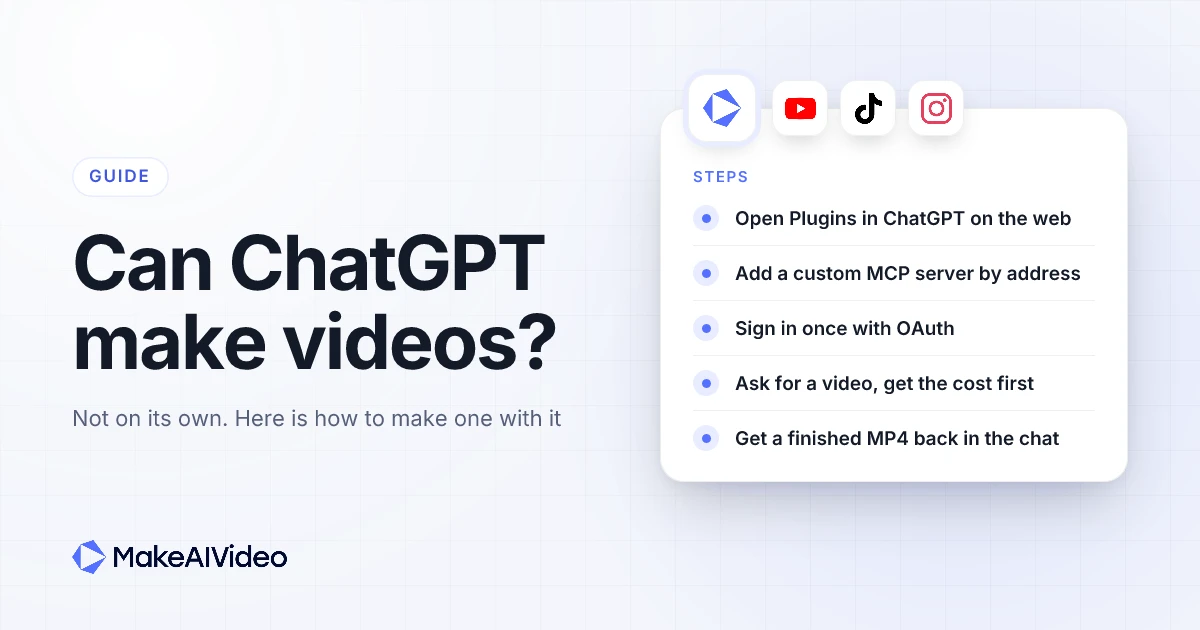
Can ChatGPT make videos? Not on its own. ChatGPT writes text and makes images, but there is no video generator inside it, and OpenAI shut down its separate video app in April 2026 and the video API in September 2026. What ChatGPT can do is drive a video tool for you, and MakeAIVideo is built for exactly that: an AI video generation tool made for AI agents. Connect it, ask for a video in the chat the way you would ask a person, and a finished MP4 comes back with the script, voiceover, scenes and captions done. This guide covers what ChatGPT can and can't do for video today, what happened to OpenAI's video app, and how to make AI videos with ChatGPT step by step, with prompts you can copy.
Written by Jamie Partridge, Founder of MakeAIVideo.
Can ChatGPT make videos on its own?
No. ChatGPT has no video output. Ask it for a video and the most it can hand back is the parts of one: a script, a shot list, prompts for scenes, or still images. A finished video needs more than that. Someone has to record a voiceover, make the scenes, time captions to the audio, add music and render it all into one file, and none of that happens inside the chat.
Images are a different story. OpenAI's help centre says plainly that "ChatGPT Images lets you create new images and edit existing images in ChatGPT", and that it is available on all tiers. So ChatGPT can draw a thumbnail, a storyboard frame or a product shot. It just can't make those frames move, speak or play as a video.
Here is the honest split, as of November 2026:
| Video job | Can ChatGPT do it on its own? |
|---|---|
| Come up with video ideas and hooks | Yes |
| Write a script, word for word | Yes |
| Write prompts for each scene | Yes |
| Make still images and thumbnails | Yes, with ChatGPT Images |
| Record a voiceover | No |
| Make moving scenes | No |
| Time captions to the audio | No |
| Render a finished MP4 you can post | No |
| Drive a video tool that does all of the above | Yes, once you connect one |
That last row is the one that matters. ChatGPT is very good at calling tools. If you give it a video tool to call, asking ChatGPT for a video does return a video, because the rendering happens on the tool's side and ChatGPT is the one asking for it. That is what a ChatGPT video generator really is today, and the step by step is below.
What happened to ChatGPT's video app?
If you remember making videos with OpenAI, you aren't imagining it. OpenAI ran a separate video app and a video API, and both are gone. According to OpenAI's own discontinuation notice, the web and app experiences were discontinued on April 26, 2026, and the API on September 24, 2026.
The timeline, from OpenAI's pages and the press coverage:
- March 24, 2026. OpenAI announced the shutdown of both the mobile app and the API. Its developer deprecations page lists the same date as the notice date for the video models.
- April 26, 2026. The web and app experiences closed.
- September 24, 2026. The video API shut down. OpenAI lists "No one-to-one replacement" for it.
Why? TechCrunch reported that the app was burning through roughly $1 million a day, and that its worldwide user count peaked at around a million and then fell to fewer than 500,000. The call, in TechCrunch's words, was to shut it down, free up compute and refocus. A second TechCrunch piece called it a possible reality check for the makers of AI video tools.
If you made videos there, OpenAI's notice says you can still export your content from its sunset page, and that any purchased credits can be used for Codex instead. For anyone asking "does ChatGPT make videos" today, the short version is: not since April 2026, and OpenAI's deprecation notice names no one-to-one replacement. The good news is that the other ways to make one never depended on it.
How to make AI videos with ChatGPT: two ways that work
There are two ways to make AI videos with ChatGPT now. Both use ChatGPT for what it is good at (the thinking and the writing) and a video tool for the rendering. The difference is who carries the work from one to the other.
| Way 1: write in ChatGPT, make it in MakeAIVideo | Way 2: connect MakeAIVideo to ChatGPT | |
|---|---|---|
| What ChatGPT does | Writes the idea, script and scene notes | Writes the brief and calls the tool for you |
| What you do | Copy the script into the tool, then press make | Ask for the video in the chat |
| Where the video appears | In the video tool | As a link in the chat, and in your library |
| Setup | None | Add the connector once, sign in once |
| Best for | One-off videos, or if you can't add connectors | Regular videos, batches, posting from chat |
Way 1 works with any ChatGPT plan, and a browser tool that turns one sentence into a video does the rest. Way 2 is faster once it's set up, and it turns ChatGPT into a video generator: you never leave the chat. Both are covered below, starting with the connector.
How to make videos with ChatGPT using MakeAIVideo, step by step
ChatGPT can talk to outside tools through the Model Context Protocol, which its makers describe as "an open-source standard for connecting AI applications to external systems." A video tool that runs an MCP server can be added to ChatGPT by its address, and from then on ChatGPT can make videos through it. MakeAIVideo runs one, so here is the whole process, start to finish. There is also a setup page with every step on one screen if you want it open alongside ChatGPT.
Step 1: Open ChatGPT's Plugins on the web
In ChatGPT on the web, open Plugins, press the + button and choose Add custom MCP server. OpenAI's help article on custom MCP servers confirms you don't need to turn on Developer Mode first. It is web only: you can't add a custom server from the phone app, though it works on your other devices once it's added.
Whether you can add one depends on your ChatGPT plan. OpenAI's article lists which plans get full MCP support, and on Business and Enterprise an admin may need to allow custom plugins before you can add one.
Step 2: Paste the address and choose OAuth
Name it MakeAIVideo, paste https://mcp.makeaivideo.ai and set authentication to OAuth. Tick the risk notice and create it. MakeAIVideo isn't in ChatGPT's own directory, so adding it by address is the way in.
Step 3: Sign in, or sign up and start the trial
A MakeAIVideo sign-in window opens. If you already have an account, sign in and press Approve. If you're new, sign up in that window, pick a plan and start the 7-day free trial (350 credits, a card is required, $0 today). Then press Approve and you're sent back to ChatGPT. There is no API key to create or paste.
Step 4: Ask ChatGPT for a video
Start a new chat and ask for the video the way you'd describe it to a person: the topic, the length, vertical or wide, and whether you want captions. ChatGPT passes your brief to the tool and quotes the cost in credits first. Cost estimates are free, so nothing is spent until you say go.
Step 5: Get the finished MP4
ChatGPT checks on the render and gives you the link when it's ready. What comes back is a finished 1080p MP4 with the script written, the voiceover recorded, the scenes made, captions if you asked for them, and music. It also lands in your MakeAIVideo library, where you can open it in the editor, download it or post it.
Ask ChatGPT for a video, get a finished MP4. Add the connector once, sign in, and every video you ask for comes back with voiceover, scenes and captions done. Start 7 day free trial →
MakeAIVideo's MCP server: everything ChatGPT can do with it
The connector you added in the steps above is MakeAIVideo's MCP server, and it gives ChatGPT the same tools you get in the app, not a cut-down version. Here is what that covers, so you know what to ask for.
Every kind of video, from one chat
ChatGPT can make each of these by asking for it in plain words. Each one comes back as a finished video in your library.
| Ask ChatGPT for | What it makes |
|---|---|
| A video about a topic | Script, voiceover, scenes and music from one line |
| Your script, read as written | Your words narrated exactly, never rewritten |
| A video from an article or link | A script drawn only from that page, then the video |
| An explainer, a listicle or a story | The same pipeline, shaped for that format |
| A UGC-style ad or a product demo | A short ad or walkthrough built around your product |
| A presenter or spokesperson video | A consistent character who delivers your message |
| A talking avatar | A presenter who reads your script on camera |
| A moving version of a photo | A short clip with real motion inside your image |
| A character swap | Your own clip with a different person on screen |
For the last three, ChatGPT uploads the photo or clip you give it by link. Use only images and footage you own or have the rights to, and never a real person without their consent. The same jobs are on the website too, for example the presenter tool and the photo animation tool.
Plan the video before you spend anything
ChatGPT can price a video before it makes it, and that check is free. It can also help with the thinking first: suggest angles for a topic, draft a script (a small fixed cost), turn rough notes into scenes, or sharpen a one-line idea. If your own script doesn't fit the length you asked for, it shows you the options instead of cutting your lines.
Fix one scene instead of starting over
Finished videos can be changed from the chat. ChatGPT can rewrite the narration for one scene, change what one scene shows, remake a single scene, redo the voice, or swap the music, then export the video again. Paid edits are quoted before they run, so a small fix doesn't turn into a surprise. You can also open anything ChatGPT made in the editor at app.makeaivideo.ai, because it is the same library.
Post the finished video to your accounts
ChatGPT can post a finished video, now or on a schedule, with one caption for all of them or a caption per platform. The supported platforms are TikTok, Instagram (as a Reel), YouTube (a vertical video as a Short, a wide one as a regular video), Facebook Pages, LinkedIn, X, Threads, Pinterest, Bluesky, Telegram and Discord. You connect each account once yourself, from a link ChatGPT gives you, and it confirms the accounts, caption and time with you before anything goes out. More on this is on the auto-post page.
Sign-in, permissions and control
- No API key in the chat. ChatGPT signs in through OAuth, so you approve access in a browser window and nothing secret is pasted into the conversation.
- Three permissions you approve. Access is split into read (see your videos), write (create, edit and post) and ai (the writing and generation helpers).
- One balance. Videos made from ChatGPT use the same credits as the app, with no separate API plan.
- No double charges on retries. When ChatGPT makes a batch, each video gets its own retry key, so a repeated request isn't charged twice.
- Take access back at any time. Each connection is a named key under Settings, Advanced, API keys. Delete it and the assistant is cut off straight away.
The same connector in Claude, Grok and other agents
ChatGPT is one of many apps that can use it. The address is the same everywhere, https://mcp.makeaivideo.ai, and so are the tools, your library and your credits.
| Agent | How you add MakeAIVideo |
|---|---|
| ChatGPT | On the web: Plugins, +, Add custom MCP server, then paste the address and choose OAuth |
| Claude | Customize, Connectors, +, Add custom connector, then paste the address. The free plan includes one custom connector |
| Grok | On grok.com, Connectors, New Connector, Custom, then paste the address. It then works in the Grok phone apps too |
| Perplexity | Settings, Connectors, add a custom connector, then paste the address and choose OAuth. Needs a Pro, Max or Enterprise plan |
| Claude Code, Cursor, Codex, Gemini CLI, VS Code, Windsurf | Add the address as an HTTP MCP server, or run the local package from npm with an API key |
| Your own app or workflow | Call the REST API with a key, or use the command-line tool |
There is a setup page for each of these in our guides for every assistant, and the connector, explained in full for anyone who wants the tool list and the sign-in details. If you build your own agents, the developer docs on the same site cover the REST API.
ChatGPT video prompts you can copy
Once the connector is on, these are the kinds of requests that work well. Each one names the topic, the length and the format, and asks for a cost check first. Swap the parts in brackets for your own.
"Make a 30 second vertical video about [TOPIC], with captions. Tell me the cost first."
"Narrate this script word for word over AI scenes, 9:16, with captions: [PASTE SCRIPT]"
"Turn this article into a 45 second explainer: [LINK]"
"Make five 15 second hooks for our [PRODUCT] launch and give me all five links."
"Remake scene three with a calmer voice, then export it again."
"Post the finished video to TikTok and Instagram tomorrow at 9am."
A few notes on what happens with each. A script you paste is narrated exactly as written, never summarised or rewritten, and if it doesn't fit the length, ChatGPT shows you the options instead of cutting lines. An article link is read and turned into a script, and the page text is treated as material, never as instructions. A batch is priced first, then each video is made separately. Posting only goes to accounts you have already connected, and ChatGPT confirms the accounts, caption and time with you before it schedules anything. If you'd rather not be on camera at all, these work just as well for videos with no face on screen.
How to make a video with ChatGPT without a connector
If you can't add a connector on your plan, or you'd rather keep ChatGPT for writing only, use it to write the video and make the video in your browser. This is way 1, and it's still much faster than editing a video by hand.
Ask ChatGPT for a script with a clear structure
A good video script has a shape. HubSpot's video script guide lays out three parts: "An introduction and hook to draw viewers into your video," then a problem or question, then "A conclusion and resolution of the problem, including a call to action." Ask ChatGPT for exactly that, and tell it the length.
Length is where most ChatGPT scripts go wrong, because it writes too much. HubSpot's rule of thumb is that reading at an average pace, "you'll cover about two words per second." So a 30 second video wants roughly 60 words, not 200. Say the word count in your prompt.
Tell ChatGPT who the video is for
Sprout Social's guide to AI prompts makes the point that "Adding these details to your prompts helps the AI tailor its recommendations, analysis or messaging to the people who need it." For video, that means naming the viewer (a first-time buyer, a busy clinic owner, a teenager learning chemistry) and where the video will run. A script for TikTok and a script for a sales page shouldn't sound the same. Our guide to writing an AI video script has more on structure and pacing.
Paste the script into a video tool
Copy ChatGPT's script into a tool that reads your script word for word, which narrates your words exactly as written over scenes that match each line. If you only have an idea, not a script, start from one sentence instead and the script is written for you. If ChatGPT summarised an article for you, skip that step and turn the article link into a video instead. Pick the length and ratio, press make, and the finished MP4 lands in your library when the render is done.
Write it in ChatGPT, make it here. Paste a script and it's narrated word for word, with scenes, captions and music added for you. Start 7 day free trial →
What does it cost to make videos with ChatGPT?
The video is paid for in MakeAIVideo credits, from the same balance whether you ask in ChatGPT or press make in the browser. There is no separate plan for using it from ChatGPT.
The cost depends on the kind of video and its length: AI-made scenes cost more than stock footage, and a longer video costs more than a short one. ChatGPT quotes the exact cost before anything is made, and asking for a quote is free. Current plans and credit amounts are on the MakeAIVideo pricing page.
Three things are worth knowing up front:
- Every plan starts with a 7-day free trial. It includes 350 credits. A card is required, and you pay $0 on the day you start.
- ChatGPT can't sign up or pay for you. Creating the account, starting the trial and adding credits all happen in your browser. If your balance is short, ChatGPT gives you a link to top up and waits.
- Credits come out of one balance. A video made from the chat and a video made in the browser cost the same.
What ChatGPT video can't do
Setting the right expectations saves a wasted afternoon. Here is what to know before you rely on ChatGPT for video, even with a tool connected:
- It can't make video without a tool. No prompt changes that. If a chat claims to have made a video and gives you no file or link, it hasn't.
- Adding a connector is web only, and plan dependent. You add it in ChatGPT on the web, and your ChatGPT plan decides whether custom MCP servers are available.
- AI-scene videos run up to 3 minutes. Stock footage videos can run longer.
- One aspect ratio per render. Ask for 9:16, 1:1 or 16:9 (the sizes each platform wants). You can export the same video again in another ratio from the editor.
- Connecting social accounts needs you. To post, each account is connected once by a person, from a link ChatGPT gives you.
- No voice cloning. You pick from a library of AI voices, not a copy of your own.
You can take the access away at any time. Every connection is a named key under Settings, Advanced, API keys in the app. Delete it and ChatGPT loses access straight away, and your videos stay in your library.
Turn ChatGPT into a video maker in about a minute. Paste one address, sign in once, and ask for the video you want. Start 7 day free trial →
Can ChatGPT make videos? FAQ
Can ChatGPT generate videos?
Not on its own. ChatGPT writes text and makes images, but it has no video output. Connect a video tool through an MCP connector and ChatGPT can ask that tool to make the video and give you the link.
Does ChatGPT still have a video app?
No. OpenAI discontinued its video web and app experiences on April 26, 2026, and the video API on September 24, 2026. Its deprecations page lists no one-to-one replacement.
How do I make a video with ChatGPT for free?
ChatGPT can write a script for free, but rendering a video always costs something with a tool. MakeAIVideo is paid, and every plan starts with a 7-day free trial that includes 350 credits.
Can ChatGPT make a video from a script I wrote?
Yes, with a connector. Paste the script and ask for it narrated word for word. Your words are read exactly as written, and if the script is too long for the length you asked for, you are shown the options.
Can ChatGPT make YouTube Shorts or TikToks?
Yes, through a connected tool. Ask for a vertical 9:16 video with captions and say how long it should be. It can also post the finished video to accounts you have connected.
Do I need an API key to connect ChatGPT to a video tool?
No. You sign in to MakeAIVideo in a browser window and approve access, which creates a key behind the scenes. You can delete it under Settings, Advanced, API keys at any time.
Can I add a video connector in the ChatGPT phone app?
No. Custom MCP servers are added in ChatGPT on the web only. Once added, the connector works when you use the same account on your other devices.
Can Claude make videos?
Not on its own, but it works the same way. Add the same server address to Claude as a custom connector, sign in once, and ask Claude for a video. The steps for that assistant take about a minute.

Written by Jamie Partridge
Founder at MakeAIVideo. Writing about AI video generation, scripting, scenes, and shipping content faster.